Development

Backpressure Between an Agent and Its Tools: Caps and Queues

Antonio Evans8 min read

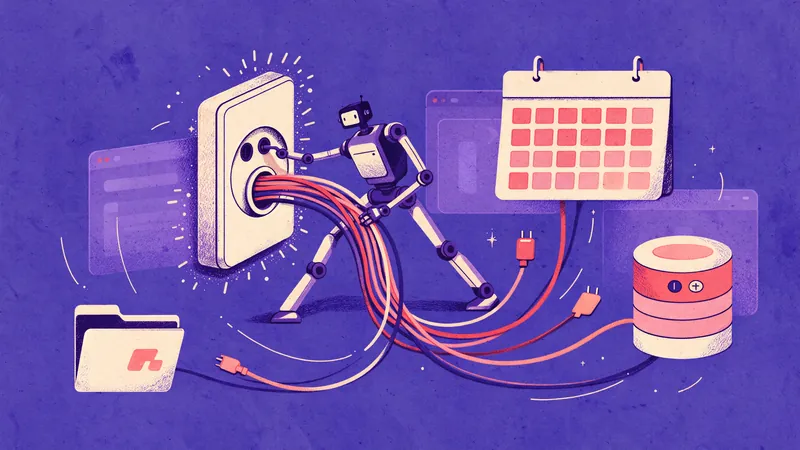
A large funnel with the word 'AGENT' on top, pouring small spheres labeled 'TOOL CALLS' into several pipes of different diameters, each labeled 'TOOL A', 'TOOL B', 'TOOL C'.
Key points

Key points

  1. 1An agent fanning out tool calls behaves like any other client fleet: it needs a concurrency cap per downstream service, not one global limit for the whole run.
  2. 2Caps should come from measured capacity, and a practical starting point is to keep utilization at or below roughly 80 percent of the downstream limit.
  3. 3Queues must be bounded, because an unbounded queue converts a slow dependency into a memory leak and a latency spike that hides the real problem.
  4. 4When a queue is full, reject the call with a retryable error and let the agent decide what to drop or defer, instead of piling on more work.

Why an agent exhausts a connection pool that looked fine yesterday

A single agent turn can issue a dozen tool calls. A hundred concurrent users with three agents each turns that into thousands of simultaneous requests to the same database or API. The database does not see "one agent"; it sees a client fleet that arrived without a capacity plan.

Connection pool exhaustion has a signature that is easy to misread. Latency climbs while CPU and memory stay flat, requests queue for a connection instead of doing work, and then timeouts cascade according to Radview's breakdown of pool exhaustion symptoms. That is exactly the shape an agent workload produces when it fans out indiscriminately.

There are two limits in play, and either can break first: the application pool size and the database's own maximum connection count as Webalert explains in its diagnosis guide. An agent framework with a generous internal worker pool can exhaust the database limit even when each instance "looks reasonable," because pool size multiplied by instance count is what actually lands on the server.

The deeper point is circulation, not capacity. A pool with many connections where each request takes 100 ms is more exhausted than a smaller pool where requests return in 10 ms per this writeup on connection pool exhaustion. Agents make this worse because they hold resources across slow steps. If a tool call checks out a connection and then waits on a model response, the connection is parked for the whole model latency, not the query latency.

Measure downstream capacity before you set any number

You cannot cap what you have not measured. Do this in three steps.

Step 1: Find the hard ceiling. For Postgres, that is max_connections, and you should reserve headroom for admin, migrations and monitoring before dividing the remainder across instances:

usable connections = max_connections - admin reserve - monitoring reserve
max pool per instance = usable connections / maximum autoscaled instances

Size against the maximum instance count, not today's steady state, because autoscaling will find the gap per Webalert's sizing formula.

Step 2: Measure service time under load. For a tool that hits the database, EXPLAIN ANALYZE gives you planning time, execution time and rows removed by filter, which is enough to see whether a query is slow or just wide per the PostgreSQL documentation on EXPLAIN. A query that scans far more rows than it returns inflates service time, and inflated service time inflates the concurrency you need as this thoughtbot walkthrough of reading EXPLAIN ANALYZE plans shows.

Step 3: Compute concurrency, not requests per second. With service time in seconds and target throughput, concurrency needed follows from Little's Law style arithmetic. If a tool takes 50 ms and you want 100 calls per second, you need roughly 5 concurrent calls. If the same tool takes 500 ms, you need 50. That single number explains why a cap that worked at low latency starves under load.

A worked example. A lender API enforces a hard stop of 30 concurrent calls per environment, and calls beyond that are refused outright per ICE Mortgage Technology's concurrency limits documentation. If your agent fleet treats 30 as the target, one retry storm takes the whole environment to zero. The same vendor recommends keeping utilization below 80 percent for lenders and 20 percent for partners, which turns 30 into 24 and 6 respectively. Your cap is a budget, not a target.

Set per-tool caps, not one global number

A global cap is the wrong abstraction because tools have wildly different costs. A vector lookup, a PDF render and a payments API should not share a semaphore. Model each tool as its own pool with its own limit and its own queue.

Tool typeTypical binding limitCap ruleShedding behavior
Read-only database queryConnection pool per instanceUsable connections divided by instances, minus 20 percent headroomReject with retryable error, agent re-plans
Third-party REST APIDocumented concurrency or rate limitVendor limit times 0.8 (or the vendor's stated ratio)Honor Retry-After, back off exponentially
LLM inference callRequests and tokens per minuteCap at provider limit with token-bucket smoothingRetry with jitter, degrade to a cheaper path
File or media processingWorker CPUWorker count, no queue depth above one batchReject, return a job handle for later polling
Write operation with side effectsDownstream transaction capacityStrictest cap of all, often single digitsNever auto-retry without an idempotency key

Two things in that table matter more than the numbers. First, the cap is per instance, so twenty agent pods each capped at 5 still hit the database with 100 connections. Second, token-bucket smoothing matters because providers enforce limits over short intervals: Anthropic's documentation notes that a 60 requests-per-minute limit may be enforced as 1 request per second, so short bursts trip it per the Claude platform rate limits page. Agent fan-out is bursty by nature, which makes smoothing essential.

There is a further trap with providers that meter concurrency invisibly. Practitioners have reported sending 138 parallel requests, well under published per-minute limits, and seeing latency stretch to about 40 seconds versus under 2 seconds for five requests, meaning the effective constraint was concurrency, not rate per this OpenAI community thread. The lesson generalizes: treat any provider as having an unstated concurrency ceiling, and probe for it with a ramp test rather than trusting the docs.

Size the queues, then decide what happens when they fill

A queue exists to absorb variance, not to absorb overload. Size it to cover a burst of roughly the duration of one service-time spike, and no more than that. A useful default is queue depth equal to your concurrency cap: enough to smooth a hiccup, small enough that a full queue means something is genuinely wrong.

The failure mode of an unbounded queue is well documented in the pooler world. When PgBouncer cannot create a new server connection without breaching pool_size, max_db_connections or max_user_connections, it queues the request, and only aborts when the client limit is breached per ScaleGrid's PgBouncer walkthrough. The queue is a pressure valve, and it needs a limit.

Bounded queue plus a shedding rule looks like this:

on tool_call(tool, payload):
  if queue[tool].size >= cap[tool].queue_depth:
      return RetryableError(
          code="TOOL_BACKPRESSURE",
          tool=tool,
          retry_after_ms=backoff(tool),
          suggestion="defer or drop, do not resubmit immediately")
  if semaphore[tool].try_acquire(timeout=0):
      enqueue_execute(tool, payload)
  else:
      queue[tool].put(payload)

The critical design choice is that the agent receives a typed, retryable signal rather than a hang or a raw timeout. Anthropic's rate limit behavior is instructive here: some 429 responses carry a retry-after header and some do not, and when they do not, retrying including the SDK's automatic retries fails until access resumes per the Claude platform rate limits page. An agent that cannot distinguish "slow down" from "stop entirely" will burn its entire context window on retries.

Two rules follow. First, never let the agent retry a shed call in the same turn more than once; a shed call is a planning signal, not a transient error. Second, cap total retries per tool per turn explicitly, because retry storms are the mechanism that turns a degraded dependency into an outage: requests time out waiting for a connection, retries demand more connections from an already-empty pool, and the spiral tightens per this systems writeup on exhaustion.

Handling long tool calls as blocking operations is the other half of this problem: a blocked agent cannot plan around a shed call or report progress. The NHI guide on blocking tool calls notes that non-blocking handling separates submission from completion, which is what lets the agent keep working while a slow job finishes.

Monitor the signals that mean backpressure, not the ones that mean load

Most agent dashboards show request rate and error rate. Neither tells you whether you are about to fall over. Watch these instead:

  • Queue wait time per tool. Under a healthy system this is milliseconds. Waiting time consistently exceeding execution time is the clearest sign the cap is too tight or the downstream is slow per Radview's symptom list.
  • Shed rate per tool. The percentage of calls rejected by your own shedding rule. A nonzero shed rate is fine; a rising one predicts an outage.
  • Concurrency utilization ratio. Your own version of the vendor's remaining-ratio formula: divide in-use concurrency by the cap, and alert above roughly 80 percent the same pattern ICE documents.
  • Connections stuck in a non-working state. Postgres exposes pg_stat_activity with states including active, idle, idle in transaction and idle in transaction (aborted), and a cluster of connections sitting idle in transaction is a strong signal that something is holding a resource across a slow step per myDBOps on connection states.
  • Isolation-related retries. If tool calls write to the same rows concurrently, serialization failures will appear. Postgres repeatable read aborts a transaction that tries to update a row changed by another transaction, preventing lost updates, while serializable adds protection against serialization anomalies per this mkdev explainer on isolation levels. Those aborts are backpressure too, and the agent should treat them as retryable with a fresh read.

A practical alerting split: cap utilization above 80 percent for five minutes is a warning, shed rate above 5 percent for one minute pages someone, and queue wait time above the tool's p99 service time means the cap is mis-sized rather than the load being too high.

One more lever earns its keep: pooling modes. Running PgBouncer in transaction pooling mode lets a server connection return to the pool when a transaction ends, which decouples a long-lived agent session from an idle database connection. The tradeoff is that session-scoped features such as SET, LISTEN and session-level advisory locks stop working under transaction pooling per the PgBouncer feature matrix. If your tools rely on session state, either keep session pooling for that tool only or rewrite the tool to be stateless. Heroku's guidance makes same point plainly: transaction pooling is the recommended mode for typical application traffic per the Heroku Dev Center.

A rollout sequence that does not require a big-bang change

Do this in order, and each step is independently useful.

  1. Instrument every tool call with a duration histogram and a queue wait time. No caps yet.
  2. Ramp one tool to find where latency bends. That inflection point is your ceiling probe; set the cap at 80 percent of it.
  3. Add the bounded queue with depth equal to the cap. Still no shedding; just log what would have been shed.
  4. Turn shedding on for one tool. Return a typed retryable error and confirm the agent degrades gracefully rather than retrying.
  5. Extend per-tool caps to the rest of the toolset, and add the write-path cap last, because it carries the most risk.
  6. Put the three signals above on a dashboard with the alert thresholds you chose.

If you are running agents across several model providers and downstream services, the dispatch layer that applies these caps is the same one that routes requests. Quanta Inference exposes text, image, video, audio and embedding models behind one OpenAI-compatible API key, which lets you put a single cap and queue in front of every model call instead of one per vendor at https://quantaintelligence.ai/inference.

FAQ

FAQ

What is the difference between a rate limit and a concurrency cap?

A rate limit bounds how many requests you make in a time window, while a concurrency cap bounds how many are in flight at once. Agent workloads are bursty, so per-minute limits can be satisfied while concurrency still overwhelms a downstream service, as the OpenAI community reports about parallel requests under published limits. Set both, and treat the concurrency cap as the primary control.

How do I pick a queue depth?

Start with a depth equal to your concurrency cap, which absorbs a burst roughly as long as one service-time spike. If you routinely shed at that depth during normal traffic, the cap is too low, not the queue too small. Increasing queue depth to hide a saturated cap just adds latency before the failure.

Should a shed call be retried automatically?

Once, at most, and only if the response carries an explicit retry interval. Anthropic's docs note that some rate limit responses include a retry-after header and some do not, and when it is absent retries fail until access resumes. Treat a shed call as a planning signal so the agent can defer or drop work instead of spinning.

Where does connection pool exhaustion actually show up first?

Usually in queue wait time, not error rate. Latency climbs while CPU and memory look healthy because requests are waiting for a connection rather than computing, which is the classic signature described in pool exhaustion writeups. If you only alert on errors, you will learn about the problem after the timeouts start.

Does this apply if my tools are third-party APIs rather than my own database?

Yes, and vendors often publish the number you need. ICE Mortgage Technology enforces a hard concurrency limit and returns 429 once it is reached, and recommends staying under 80 percent utilization. When a vendor publishes no concurrency figure, run a ramp test and assume an unstated ceiling exists.

Sources

Sources

  1. Connection Pool: Detect & Fix Issues Fast
  2. Connection Pool Exhaustion: Causes, Diagnosis & Fixes
  3. Connection Pool Exhaustion: The Silent Killer
  4. Documentation: 18: 14.1. Using EXPLAIN - PostgreSQL
  5. Reading a Postgres EXPLAIN ANALYZE Query Plan - Thoughtbot
  6. Concurrency Limits - Encompass Developer Connect
  7. Rate limits - Claude Platform Docs
  8. Concurrency Rate Limiting: A $10000 Issue - API
  9. PostgreSQL Connection Pooling: Part 2, PgBouncer - ScaleGrid
  10. Why blocking long-running tool calls breaks agent work
  11. PostgreSQL Connection States: Types, Monitoring &
  12. Transaction Isolation Levels With PostgreSQL as an example
  13. PgBouncer features
  14. PgBouncer Configuration and Best Practices - Heroku Dev Center
About the author

About the author

Antonio Evans
Antonio Evans

Antonio Evans is the founder of Quanta Intelligence and a fractional CTO who builds HIPAA-ready AI systems for health and life-science companies. Before that he was technical co-founder of FriendsEAT for twenty years, CEO of Socialdraft, and a data engineer at IBM. Antonio lives with his dog Santino in Lisbon, Portugal.

All articles