Development

Feature Flags for Deploys You Can Undo in Seconds

Antonio Evans10 min read

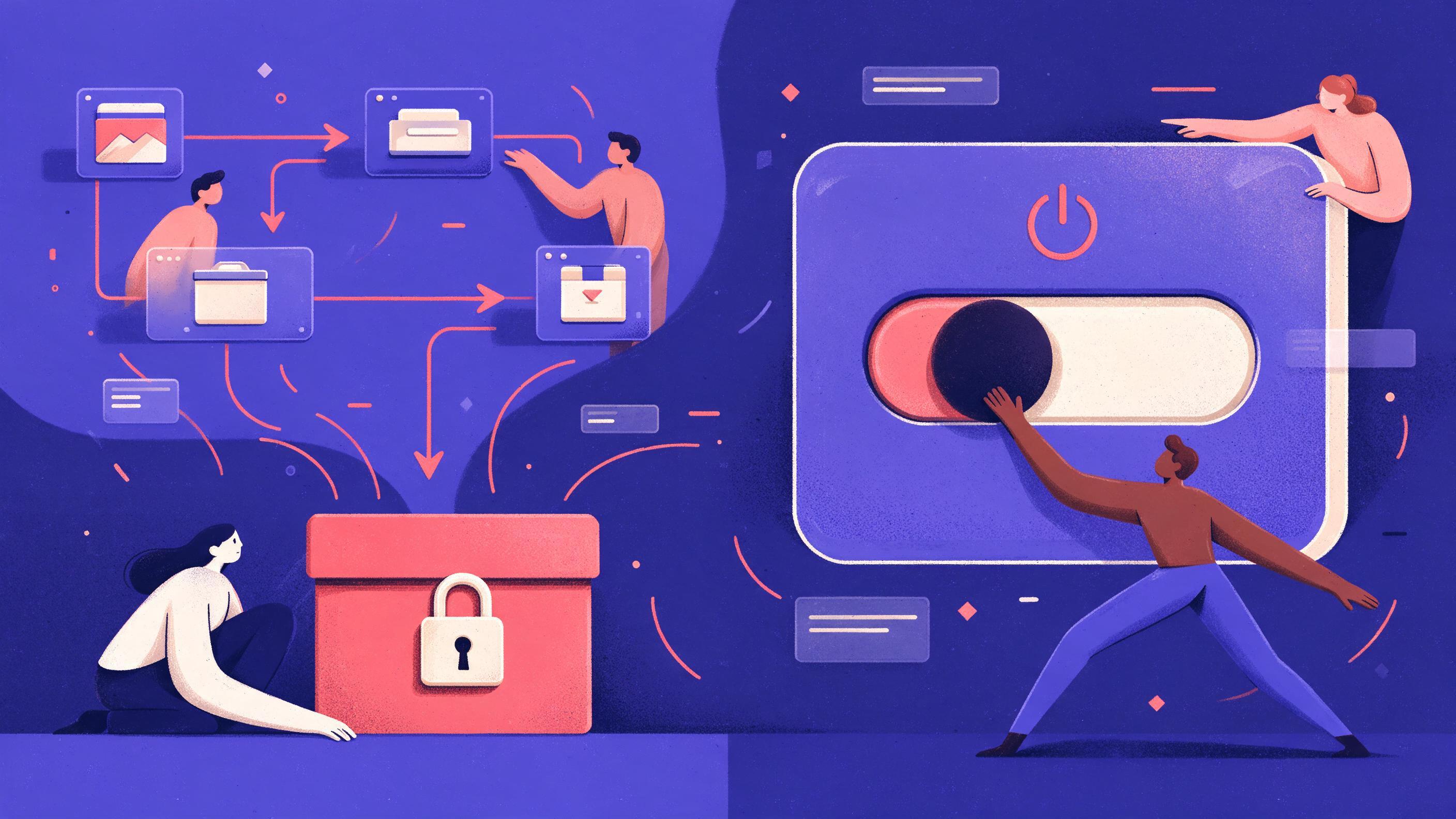
A split scene: left side shows a CI/CD pipeline with a deployed artifact locked in a box; right side shows a control panel with a large toggle switch labeled 'Release' being flipped off.
Key points

Key points

  1. 1A feature flag separates deploy from release so you can ship code dark and switch it on later without a redeploy.
  2. 2Match the flag type to its job: release, experiment, ops (kill switch) or permission, because each has a different lifespan and owner.
  3. 3A flag-based rollback is a toggle off, a check that the old path is live, and an alert to the team, minutes of work instead of a redeploy.
  4. 4Give every flag an owner and an expiry date, and review flags older than 90 days on a fixed cadence so toggles do not become permanent code.

Why deploy is not release

Most teams use "deploy" and "release" as synonyms. They are not the same event, and treating them as one is why rollbacks are painful. A deploy is moving an artifact into production. A release is letting users see the new behavior. Feature flags let you do the first without doing the second: code reaches production on your normal pipeline schedule, but the new path stays dark until you enable it at runtime (Unleash docs).

That distinction changes what a rollback means. Without flags, undoing a change means redeploying the last good artifact. Rollback scripts are often untested and rarely practiced, so a team reaching for one at 2 a.m. is gambling that a procedure nobody ran in months still works (Octopus). With a flag, recovery is a config change: you flip the flag off, traffic returns to the old code path, and the build stays exactly where it is.

The other benefit is that the branch does not have to carry the risk. Trunk-based development keeps everyone on one shared branch and leans on flags to hide unfinished work, which avoids long-lived feature branches and their merge conflicts (JetBrains). Frequent small commits plus a flag on the risky part means main stays deployable even when a feature is half-built (Harness).

A quick decision rule for when a flag is worth the carrying cost:

SituationUse a flag?Why
Risky change to a revenue path (checkout, sign-in, pricing)Yes, release flagYou want a switch in seconds, not a redeploy
Schema or backend-only change with no user-visible behaviorUsually noNo path to toggle; roll forward or use a migration pattern instead
New feature that ships in stages over weeksYes, release flagLets you merge earlier and keep the branch short
Model, prompt or ranking change behind an APIYes, release or experiment flagYou can compare behavior and revert instantly
Tiny copy fix or dependency bumpNoAdds a toggle with no decision to make
Anything a support engineer may need to turn off during an incidentYes, ops flagThe kill switch belongs to the operator, not the deploy

The trap the CI/CD guides name directly: missing rollback strategies and environment drift are classic pipeline failures (Microsoft). Flags do not replace tested rollback of infrastructure or data, but they shrink the blast radius of the code half of a bad change.

The four flag types and what each one costs you

Pete Hodgson's taxonomy, the reference most vendors build on, splits toggles into release, experiment, ops and permissioning (martinfowler.com). The categories matter because each has a different expected lifespan, and mixing them is how "feature flag hell" starts.

Release flags hide incomplete or risky features until you are ready. They are transient: once the feature is live for everyone, the flag should be removed quickly. This is the type you use for canary rollouts.

Experiment flags split traffic between variants so you can measure which one wins, usually for A/B tests. They need an analysis window, a success metric set before launch, and a hard stop. Once the experiment concludes, keep the winning variant and delete the flag.

Ops flags are kill switches. They let an operator turn off a fragile feature, a noisy integration or an expensive path during an incident without a deploy. These are long-lived by design, because the failure mode they guard against does not go away.

Permission flags gate features by user tier, entitlement or contract. They are also long-lived and usually owned by product or billing, not the feature team.

release      -> days to weeks     -> delete after full rollout
experiment   -> one analysis window -> delete after the decision
ops          -> months to years   -> keep, test the fallback value
permission   -> life of the tier  -> keep, review with entitlements

The long-lived types are where teams under-invest. A permission or ops flag whose fallback value was never tested can quietly serve an invalid state if the flag evaluation fails or someone turns it off (LaunchDarkly). Put the long-lived flags on a different review cadence from the release flags: test the "off" path of an ops flag on a schedule, the way you would test a backup.

A flag-based rollback in three steps

This is the part where flags earn their keep, and it fits inside the failure-handling model most delivery tools already have. A pipeline can trigger a rollback on a failing stage (Harness developer docs), but that redeploys the previous artifact. The flag path does something different: it leaves the artifact alone and changes which code path serves traffic. Keep both, and use the flag path first when the bad change is behind a flag.

Step 1: Toggle off. Flip the flag to its default, not to a permissive value. Set the change off for all users, not just the ones you think are affected. Measure the time from "someone decides to revert" to "flag is off" and write it down; that number is your real recovery time for flagged changes, and it is worth tracking alongside your other delivery metrics (Harness).

Step 2: Verify. Confirm the old path is actually live before you declare victory. Check that the flag evaluation is returning the false branch in your logs, that error rates on the affected route fall back to baseline, and that downstream consumers did not already act on the new behavior. A 200 response is not proof the old code is running. If the change touched a schema or wrote new data, verify the data path separately, because toggling a read path does not undo a write (Octopus).

Step 3: Alert and record. Post a short message in the incident channel with the flag key, who flipped it, and the timestamp, then open a ticket to remove the flag or fix the underlying cause. A rollback that leaves no trace is a rollback you cannot learn from. The CI guidance on a blame-free "what caused this" culture applies here directly: the point is to fix the process, not to find a culprit (GitLab).

One caveat: flags are not a substitute for rollback of the deploy itself. If a migration went wrong and every instance is crashing before any flag is read, you still need the artifact rollback, and you need to have tested it. Flags are the fast path for flagged changes, not a universal rescue.

A canary walkthrough with a kill switch

A canary release is the flag pattern that pays off most often. The idea: ship the change dark, expose it to a small slice of traffic, watch the signals for a set window, expand in steps, and keep a kill switch ready the whole way (LaunchDarkly).

A concrete sequence you can adapt:

  1. Deploy dark. The artifact ships with the flag off for everyone. Nothing user-visible changes. Confirm the new code path is reachable in staging with an override.
  2. Open to 1%. Target a small, stable slice, for example by a consistent hashing key on user ID so a given user always sees the same variant. A user who flickers between variants generates noise in both your metrics and your bug reports.
  3. Watch for 30 minutes. Compare error rate, latency and a business signal (orders started, searches completed) for the canary slice against the control population. Thirty minutes is a starting number, not a law: pick a window that covers at least one full traffic cycle for your product.
  4. Expand in steps. 1% then 5% then 25% then 100%, each with its own watch window. Skip the intermediate steps and you lose the chance to catch a problem while it is still small.
  5. Watch for a set time. Use the same metrics and the same comparison you used at 1%. If nothing moves, expand again.
  6. Finish the rollout. When the flag serves everyone, the flag has completed its job. Do not leave it at 100% "just in case" unless you have decided it is now a permanent ops flag.

The kill switch is the ops flag wired to the same route. Before you start, decide who can flip it and what "off" looks like: the old code path, a degraded read-only path, or a maintenance message. Write those decisions down, because at the moment you need them, nobody wants to negotiate. If your team runs multiple models behind one feature (say a fallback classifier and a primary one), expose the choice as a parameter so the kill switch reverts behavior and not just an if-statement: a single API for text, image, audio and embedding models makes that swap a config change instead of a deploy.

Naming, ownership and the metadata that saves you

Flags rot quietly, and most of the cost shows up later as confusing code. The fix is cheap if you do it when the flag is created and expensive if you do it after hundreds of flags exist. Human-readable names with a clear scope, plus explicit ownership, are what keep a flag list usable as it grows (Harness).

A naming pattern that scales:

<team>.<surface>.<feature>.<kind>
checkout.payments.apple-pay.release
search.ranking.embeddings.experiment
infra.embeddings-provider.ops
billing.enterprise-sso.permission

The kind suffix is the important part: it tells a reviewer at a glance whether the flag is temporary (and should have a removal date) or long-lived. Alongside the name, attach four fields in whatever system holds the flag:

  • Owner: a person or a team, not "everyone." If two people own it, nobody does.
  • Created date and expiry date. For release flags, the expiry is the day you expect to delete it, not a vague "after launch."
  • Removal ticket. Link the flag to the work item that tracks code removal. Tracking it separately means it gets forgotten.
  • Fallback behavior. What happens when the flag cannot be evaluated, the SDK fails, or the service is offline. This is where stale flags cause silent damage (LaunchDarkly).

The Microsoft guide lists hard-coded secrets and environment drift among the usual pipeline pitfalls (Microsoft), and stale flag configuration drifts in the same way: it works forever for the people who set it up and nobody else. Ownership plus a fallback value documented at creation is what makes the flag legible to the next person on call.

Cleanup: a cadence, a dashboard, and a rule

Flags accumulate because removing them is nobody's visible work. Two things fix that: a fixed review cadence and a number on a dashboard that someone is accountable for. Treat flags older than 90 days as a signal, not a rule. For release and experiment flags, 90 days past full rollout is almost always too long; for ops and permission flags, age is expected and the review should check something else (the fallback value and whether the underlying dependency still exists).

A monthly or quarterly stale-flag review, run as a 30-minute meeting, should:

  • Start from a dashboard. Count active flags, flags past their expiry date, and flags older than 90 days. Break them down by team. A total number with no owner is a stat, not a work item.
  • Auto-detect what is already dead. Most flag platforms can identify flags that are no longer evaluated or are serving one variation to all traffic; use that as the candidate list rather than guessing (LaunchDarkly). Flags that have served 100% for a full release cycle are usually ready for removal.
  • Remove in code, not just in the toggle list. Archiving a flag in the UI while leaving the evaluation in the code is the worst of both worlds: you still pay the read, the branch and the dead code. The work item is a pull request that deletes the conditional.
  • Keep a small allowlist. Ops and permission flags are exempt from the 90-day clock, but they go through their own review: does the fallback still make sense, is the owner still on that team, is the dependency still live?

A worked example shows why the cadence beats a big cleanup. A team with 40 flags adds 6 to 10 a month. Without review, in a year they have 100 to 150 flags, and the person who knew why each exists has changed teams twice. With a monthly review that removes every flag that has served 100% for two cycles, release flags have a lifetime of weeks and the list stays near the number of genuinely permanent ones, perhaps 15 to 25. The remaining 90-day count is then a manageable health metric rather than a growing backlog.

Measure cleanup the way you measure deploys. Track the count of flags older than 90 days, the median age of a release flag, and the time from full rollout to code removal. If the old number goes up while deploys go up, your cleanups are lagging and you should slow feature work slightly to catch up.

Where flags fit with agents and AI-driven work

The same pattern applies when the changing thing is an agent, a model choice or a prompt, not just application code. Agent behavior is exactly the kind of change you want dark-launched: run the new agent in a canary slice, compare task completion and cost against the control, and keep a kill switch that falls back to the previous agent without a redeploy. The knobs are the same as any other rollout, which is why teams standardize the flag layer across services and keep the model call behind it: one API key and an OpenAI-compatible endpoint means the model swap is a config change, not a migration.

Two practical notes for the agent case. First, log which flag variant served each request, because debugging an agent without knowing which prompt and model variant ran is guesswork, and the observability tooling you already have is the place to put it. Second, give the agent's kill switch a plain-language owner and a test that proves the fallback works; an agent that can be toggled off only by the person who built it is not really a kill switch.

For teams that need a second pair of eyes on a rollout plan or the cleanup process, a consulting call can be a faster route than reading five more vendor docs. The point is not more tooling, it is one flag taxonomy, one owner per flag, one rollback ritual and one review cadence that everyone can follow.

FAQ

FAQ

Is a feature flag the same as a rollback?

No. A rollback reverts to a previous version, either by redeploying the old artifact or by restoring a previous state, and it affects everything in that deploy (Octopus). A flag changes which code path runs at runtime without touching the build (LaunchDarkly). They are complementary: the flag is the fast, scoped path for flagged changes, and the artifact rollback is the fallback for problems a flag cannot reach.

How long should a release flag live?

Long enough to complete the rollout and confirm the result, and no longer. In practice that is days to a few weeks: the flag is removed once it serves 100% of traffic for a full release cycle. Keeping a release flag past that point adds a code path, a stale fallback and a potential for the old behavior to reappear if the flag evaluates unexpectedly (LaunchDarkly).

How much traffic should the first canary step get?

Start smaller than feels comfortable, often 1%. The goal of the first step is to catch a glaring problem with minimal user impact, not to gather statistics; 1% of a real traffic stream is usually enough to surface an error spike within a short watch window. Pick the smallest slice that still gives you a meaningful signal in your watch window, then expand in steps (Unleash docs).

What is the difference between an ops flag and a permission flag?

An ops flag is a kill switch for reliability: it turns off a feature to protect the system during an incident. A permission flag controls who is allowed to use a feature, usually by tier, contract or role. Both are long-lived, but they have different owners and different review questions, so tag them differently and do not let one be mistaken for the other (martinfowler.com).

How do I stop flags from piling up?

Give every flag an owner and an expiry date at creation, link it to a removal ticket, and run a fixed review on a schedule with a dashboard that counts flags older than 90 days. Automate the candidate list by flagging any toggle that is no longer evaluated or serves one variation to all contexts, then remove the conditional in code rather than only archiving the flag (LaunchDarkly).

Sources

Sources

  1. What is a feature flag and why are feature flags used?
  2. Modern Rollback Strategies | Octopus blog
  3. What is Trunk Based Development? | TeamCity CI/CD Guide - JetBrains
  4. CI/CD Best Practices: Build Fast, Stable Pipelines - Harness
  5. CI/CD Pipeline Guide for Developers | Software Development Companies
  6. Feature Toggles (aka Feature Flags)
  7. Reducing technical debt from feature flags
  8. Rollback pipelines | Harness Platform
  9. Continuous integration best practices - GitLab
  10. Feature Flags 101: Use Cases, Benefits, and Best Practices
  11. Feature Flags Best Practices (Feature Toggles)
About the author

About the author

Antonio Evans
Antonio Evans
Antonio Evans is the founder of Quanta Intelligence and a fractional CTO who builds HIPAA-ready AI systems for health and life-science companies. Before that he was technical co-founder of FriendsEAT for twenty years, CEO of Socialdraft, and a data engineer at IBM. Antonio lives with his dog Santino in Lisbon, Portugal.

All articles