Business

How to Audit an MCP Server's Data Access Before You Connect It

Antonio Evans9 min read

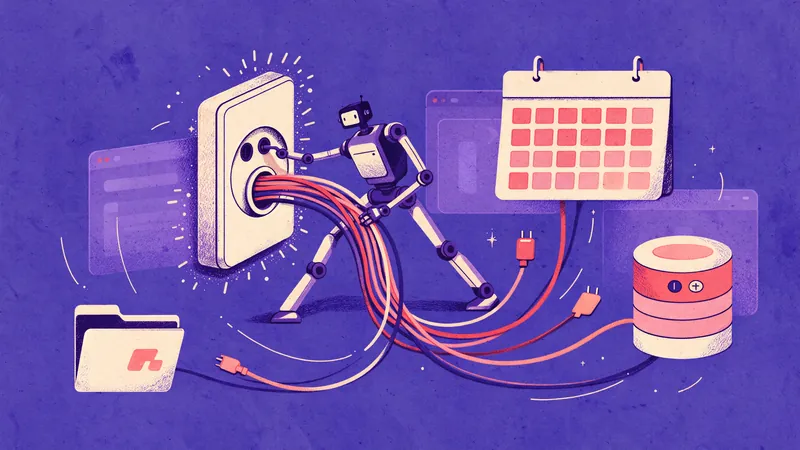
A split-screen illustration: on the left, a developer at a terminal inspecting JSON configuration files and network logs; on the right.
Key points

Key points

  1. 1An MCP server's declared scopes, its tool list, and its actual outbound traffic are three separate evidence sources, and you must check all three because none of them is authoritative on its own.
  2. 2The fastest way to see what a server really does is to run it under a throwaway account with a proxy capturing every HTTP request, then diff that traffic against your written allowlist.
  3. 3Treat the connected-tools section as the highest-risk surface: an assistant that can read files, send messages or execute code earns a stricter review than one that only drafts text.
  4. 4The audit ends with a signed allowlist of hostnames and a revoke date, not with a feeling that the vendor seems fine.

Read the manifest and the scopes before you run anything

Start with what the server claims about itself. A remote MCP server that supports authorization publishes a Protected Resource Metadata document so clients can discover the authorization server, the resource identifier and the supported scopes, typically served at /.well-known/oauth-protected-resource and returned via the WWW-Authenticate header on a 401 response (the MCP authorization tutorial). Fetch that document yourself rather than trusting a client's summary of it.

Two things in that document deserve scrutiny. First, scopes_supported tells you the vocabulary of permissions the server can grant, for example mcp:tools, mcp:resources or product-specific scopes such as mcp:tools:calendar:write (the MCP authorization tutorial, a developer's guide to OAuth for MCP servers). Second, the authorization_servers list tells you who actually mints tokens. If that host is not an identity provider your company already trusts, you have found your first blocker.

Scope design in practice tends to follow a resource:action pattern. One identity platform's MCP server, for instance, requires application:read for retrieval tools and application:write for creating, updating and deleting applications, and it documents that listing tools with a token returns only the tools that token can call (the Casdoor MCP authorization docs). That behavior is the one you want: the tool list should shrink with the token. If a read-only token still lists delete tools, the server is filtering nothing and you should assume the scope check is decorative.

A rule of thumb that saves time: count the write-capable scopes in scopes_supported. Every one of them is a permission an agent could exercise on your data without a human in the loop. Write down each one and what business action it maps to. If you cannot name the action, you cannot approve the scope.

Inventory the tools, resources and prompts

Scopes describe categories. Tools describe the concrete verbs. Pull the full tools/list response with an unauthenticated request and read every description and input schema. This is where you learn whether "search documents" actually accepts an arbitrary URL, whether "send message" accepts a channel ID, and whether any tool takes a free-text query that a remote system will execute.

Harvard's information security guidance puts the question sharply: determine whether a tool can only read information or can also create, modify, delete, send, approve or execute actions, and grant only the permissions needed for the task (Harvard best practices for generative AI). The same page warns that the more access and autonomy a tool has, the more carefully you must evaluate what it can see, what it can do, and who remains responsible for the result.

Build a table with one row per tool and answer four questions for each. This is the artifact your reviewers will argue over, so make it explicit.

FieldWhat to recordRed flag
Tool nameExact identifier from tools/listNames that hide the destination ("process")
OperationRead, write, delete, send, executeAny execute or send on first contact
Data touchedResource type and field names in the input schemaFree-text query passed to a remote system
Required scopeScope the server checks before the callNo scope, or a blanket admin alias
ReversibleWhether the effect can be undoneIrreversible sends, deletes or posts

Also list resources and prompts. A resource URI template that accepts an arbitrary path or URL is a file-read primitive with extra steps. If the server exposes file:// or http:// templates, ask what stops a prompt injection from substituting a path you did not intend. Research on AI assistants consistently flags prompt injection through documents, websites and messages as a route to disclosure or unintended action (Harvard best practices for generative AI).

Set up a throwaway account and a capture proxy

Now switch from reading to observing. Create an account that holds nothing you care about: a fresh mailbox, a separate tenant, or a sandbox workspace with synthetic documents. Never audit against a production identity, because the first thing untested tooling does is call something.

Point the MCP client at a capture proxy. HTTP Toolkit is a practical option because a published agent skill documents the working pattern: set the proxy environment variables, run the program in a non-interactive mode that emits machine-readable logs, export the outbound HTTP, and cross-reference that export against the program's own session log (the http-toolkit-intercept skill). The same source notes that proxy environment variables are runtime-specific, that Bun ignores plain HTTP_PROXY in favor of BUN_CONFIG_PROXY, and that TLS bypass flags are for controlled local debugging only, never production (the http-toolkit-intercept skill).

A minimal capture run looks like this.

HTTP_PROXY="http://127.0.0.1:8000" \
HTTPS_PROXY="http://127.0.0.1:8000" \
ALL_PROXY="http://127.0.0.1:8000" \
NO_PROXY="" \
mcp-client-invocation --output-format stream-json "list resources and read the sample doc" \
  > /tmp/session-stdout.log 2> /tmp/session-stderr.log

Then export the proxy's request log as JSON or HAR and join the two streams. The outbound export is authoritative for request bodies, headers and auth tokens; the session log is authoritative for what your client did with the responses (the http-toolkit-intercept skill). Keep the run bounded: you usually need to prove request shape, not wait for a long session to finish.

Exercise every tool once, in the least privileged way the schema allows. If a tool refuses without a write scope, that refusal is evidence worth recording. If it succeeds with a read token, you have found an authorization gap.

Read the logs the server and the client keep

Your proxy shows network behavior during the test. Logs show what happens on the server side and what your client retains afterward. Auth guidance for MCP explicitly recommends authorization when the server accesses user-specific data, when you need to audit who performed which actions, or when you want per-user rate limiting and usage tracking (the MCP authorization tutorial). If the server cannot answer "who called this tool and when," the audit fails at this step regardless of how clean the scopes look.

Ask for three log properties in writing. Retention window in days, not adjectives. Whether tool arguments are logged or only tool names. Whether logs are exportable to your SIEM or only viewable in a vendor console. Vendor claims about not training on your data are cheap to write, which is why reviewers now push past the sentence and ask for named subprocessors, retention quoted in days, and a closed anonymized-data carve-out (questions that test a no-training claim).

Client-side logging matters too. Anthropic's addition of OpenTelemetry-based observability to its agent platform and GitHub's documented controls over whether individual Copilot interaction data feeds model training both point the same way: the provider side increasingly exposes telemetry, and the contract side determines what is allowed to flow (GitHub's Copilot data FAQ). For a connected MCP server, confirm the same two facts: what your client logs about tool calls, and whether the vendor's terms let it use tool arguments for anything beyond returning the result.

One practical check: look for tool arguments in plaintext logs. A server that writes an entire customer record into a debug line has created a second copy of sensitive data outside the access controls you just audited. Cyberhaven's research found that sensitive data appears in a large share of AI interactions, including prompt text, paste actions and uploads, with employees inputting sensitive data into AI tools roughly once every three days (Cyberhaven on sensitive data in AI tools). Your MCP server is another channel with the same pattern.

Write the allowlist and make it enforceable

The deliverable is a list, not a report. For each server you approve, record the exact hostnames and paths it may contact, the scopes it may request, the tools it may invoke, and the date the approval expires. Anything not on the list is denied by default.

DecisionAllowConditionOwner
Outbound hostsNamed hostnames onlyNo wildcard subdomainsPlatform team
ScopesRead scopes for first rolloutWrite scopes need named business actionData owner
ToolsEnumerated tool namesNew tool requires re-reviewSecurity
CredentialsScoped token, short expiryRefresh tokens need justificationIdentity team
LoggingTool name and caller alwaysArguments only with redactionSecurity
Review date90 days from approvalAutomatic revocation afterAudit owner

Three rules make the allowlist stick. First, pin the authorization server: if a server later advertises a different authorization_servers entry than the one you approved, treat it as a new integration (the MCP authorization tutorial). Second, bind tokens to your audience: OAuth guidance for MCP servers stresses validating the issuer, checking that the audience claim matches your server, and handling failures with proper WWW-Authenticate responses (a developer's guide to OAuth for MCP servers). Third, review the tool list at each renewal. Server updates add tools quietly, and an added write tool is a scope change even if the manifest is unchanged.

If your organization has an AI use policy, the allowlist belongs inside it. Frameworks for internal AI policy consistently call for identifying tools in use, defining approved tools, restricting what may be entered, and assigning human review before output is used (the Future of Privacy Forum checklist, the CTR workplace checklist). An MCP allowlist is the connected-tools annex to that policy.

The decision rule for approving or blocking

Use a single gate instead of case-by-case debate. Approve if all four hold: every outbound host is named and justified; no write scope lacks a named business action; the server returns caller-attributable logs exportable to your SIEM; and the tool list under a read token contains no write or execute verbs. Block if any one fails. The reason for a hard gate rather than a score is that failures are not additive. A read-only server that sends data to an unapproved third-party host is worse than a write-capable server that talks only to systems you already govern.

A worked example makes the arithmetic visible. Suppose the capture shows 34 outbound requests across the test session: 22 to the vendor API, 6 to your identity provider, 4 to a telemetry endpoint and 2 to an address you do not recognize. The telemetry endpoint is a decision about data, not convenience, and the two unknown requests are a stop sign. Your allowlist would name the vendor API and the identity provider, and the review would return to the vendor with two questions: what is the telemetry endpoint, and what are those two requests? Without the capture, you would have approved all of it.

Scale this the way you scale other third-party reviews. A small team can complete the steps above for one server in an afternoon. A wider rollout across many servers benefits from putting every model call behind one gateway and a single set of credentials, which is what Quanta Inference centralizes: text, image, video, audio and embedding models through one OpenAI-compatible, prepaid API key, so the egress you audit is the egress you control.

Where teams usually get it wrong

Four failure modes account for most MCP audit problems. Auditing the manifest and skipping the capture: scopes describe intent, traffic describes behavior, and only the second one is evidence. Using a real account because the sandbox "doesn't have the data": the sandbox is supposed to lack the data, and the whole point of a throwaway account is that a mistake costs nothing.

Treating the tool description as documentation of behavior: descriptions are written by the publisher and can drift from the schema, so read the schema. And approving once and never again: a server you approved with read scopes can add a write tool in an update, and your allowlist has to be rechecked at each renewal or it becomes a historical document.

If your team needs help turning this into a repeatable review process across a portfolio of servers, a short working session is often faster than writing the checklist from scratch; a free discovery call covers your goals and a tailored recommendation with no obligation.

FAQ

FAQ

What is the difference between an MCP server's scopes and its tools?

Scopes are authorization grants, while tools are the concrete callable operations. A token with application:read can call retrieval tools but not create or delete, and listing tools with that token should return a filtered set (the Casdoor MCP authorization docs). Audit both, because a tool that returns under a read token tells you whether the server enforces the distinction.

Do I need a capture proxy if the server publishes detailed documentation?

Yes. Documentation describes intended behavior and the proxy records actual requests, including payloads, headers and auth tokens, which you pair with the client's own session log (the http-toolkit-intercept skill). The mismatches between the two are exactly what an audit is for.

How do I test a server that requires write access to do anything useful?

Create the least privileged token that will run, then run each write tool against synthetic data in a throwaway tenant and record the scope the server demanded. Authorization guidance recommends requiring authorization when a server touches user-specific data and when you need to audit who did what (the MCP authorization tutorial). If a write tool needs a blanket admin alias, that is a finding, not a setup step.

What belongs in the allowlist besides hostnames?

Scopes, tool names, the trusted authorization server, credential lifetime and a review date. Also record why each entry is needed, because the justification is what a future reviewer reads when the original engineer has moved on.

How often should an approved server be re-audited?

Set a fixed interval, such as 90 days, and re-audit immediately on any change to the tool list, the authorization server or the outbound hosts. Server updates add tools quietly, and an added write tool changes the risk even when the manifest looks the same.

Sources

Sources

  1. Understanding Authorization in MCP
  2. Implementing OAuth for MCP servers: A developer's guide
  3. MCP authorization and scopes
  4. Best Practices: Using Generative AI - Harvard Information Security
  5. http-toolkit-intercept | Claude Skills & Agent Skills Library
  6. No Training on Your Data Is Free to Say - 12 Questions That Test It
  7. FAQ: Privacy Statement update on Copilot data use for model training ...
  8. Sensitive Enterprise Data Is Flowing Into AI Tools at Scale - Cyberhaven
  9. FPF Releases Generative AI Internal Policy Checklist To Guide ...
  10. AI Workplace Policy Checklist: 10 Questions for Employers
About the author

About the author

Antonio Evans
Antonio Evans

Antonio Evans is the founder of Quanta Intelligence and a fractional CTO who builds HIPAA-ready AI systems for health and life-science companies. Before that he was technical co-founder of FriendsEAT for twenty years, CEO of Socialdraft, and a data engineer at IBM. Antonio lives with his dog Santino in Lisbon, Portugal.

All articles