AI coding

How to Break a Feature into Tasks an AI Agent Can Finish

Antonio Evans7 min read

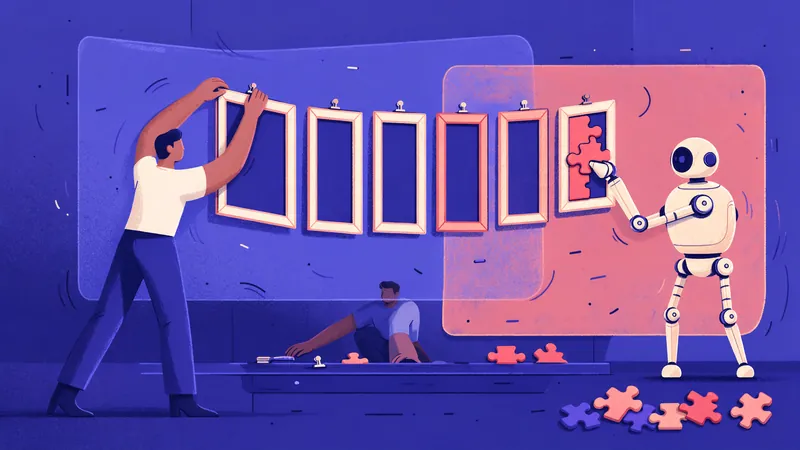
A developer cuts a big tangled ball of yarn into small neat spools and hands them one by one to a robot working at a tidy desk.
Key points

Key points

  1. 1A task an agent can finish has one goal, a known set of files, a check that proves it is done, and a size that fits comfortably in one session.
  2. 2Write the feature down first as requirements, then a plan, then a numbered task list, and review each document before any code is written.
  3. 3Slice tasks vertically, so each one produces a small piece of working behavior, using splitting patterns such as workflow steps, operations, rule variations and simple before complex.
  4. 4Run the list one task at a time, with a review and a recorded checkpoint after each, so that a failed task costs minutes instead of a day.

What a finishable task looks like

Coding agents are good at bounded work and unreliable at open-ended work. JetBrains, describing how to use its agent on larger jobs, says agents "work best when they focus on a bounded unit of work, rather than trying to do everything simultaneously" (JetBrains). Hand an agent "build team invitations" and it will produce something. Whether that something matches what you wanted is luck.

Michael Brenndoerfer's guide to task decomposition shows what goes wrong when several subtasks are bundled into one request. The agent may "miss one of the subtasks entirely," work in the wrong order, or produce "a confused or incomplete response" (Brenndoerfer). His three tests for a good subtask are a useful start: it is specific, achievable with the tools the agent has, and ordered so later steps build on earlier ones.

For coding work, those tests become six concrete conditions. A finishable task:

  1. Has one goal that fits in a sentence.
  2. Touches a known, small set of files, ideally named in the task.
  3. Ends with a check the agent can run itself: a test, a command, or an observable behavior.
  4. Fits in one session with room to spare, so the agent never needs to summarize and continue mid-task.
  5. Produces a diff a person can review in one sitting.
  6. Leaves the system working, so the next task starts from green.

Long tasks fail in a particular way. A survey of long-horizon agent research by Zylos Research, read on 2026-10-17, describes models that, as a session fills up, begin "forgetting early results, re-executing completed steps, or becoming inconsistent about what has already been done" (Zylos Research). Small tasks avoid that problem rather than fight it.

Write the spec before the tasks

You cannot split a feature well until you know what the feature is. Spec-driven development is the name for writing that down first. Microsoft's developer blog describes it as defining "common guardrails, requirements, constraints, acceptance criteria, and edge cases up front," then using AI to generate code and tests against that shared context (Microsoft Developer). The same post sums up the lesson its teams learned: "Spec quality = output quality."

GitHub's open-source Spec Kit, described in the same Microsoft post, breaks the lifecycle into seven steps: constitution, specify, clarify, plan, tasks, implement and validate. You do not need the tool to use the idea. A three-file version works in any repository, and JetBrains documents it step by step (JetBrains):

FileContentsWho writes it
requirements.mdWhat should happen and why, users, acceptance criteria, edge cases, what is out of scopeHuman, with agent help
plan.mdThe approach, sequence of work, affected components and risksAgent drafts, human reviews
tasks.mdA numbered checklist of small, verifiable tasks grouped into phasesAgent drafts, human reviews

The important detail is that each step stops before the next. JetBrains' plan prompt ends with "Do not write or modify any code yet." Writing the plan to a file creates "a checkpoint," a place to review the strategy before code changes. The task list then becomes "your control panel," a record of progress that lives outside the agent's memory.

Microsoft's post adds a caution worth keeping: "Not every change needs the full lifecycle." A one-line fix needs a clear prompt, not three documents. Use the full sequence when a feature touches several components or will take more than a few tasks.

Slice vertically, not by layer

The most common mistake when splitting a feature is to split it by technical layer: one task for the database, one for the API, one for the user interface. Visual Paradigm's guide to story splitting explains why that fails. Horizontal slices "can't deliver the value to the end customer without interaction or integration with other layers" (Visual Paradigm). Its analogy is a cake: people do not eat the top layer before the second, they cut a slice through all of them.

Humanizing Work defines a vertical slice as "a work item that delivers a valuable change in system behavior such that you'll probably have to touch multiple architectural layers to implement the change" (Humanizing Work). Splitting by layer "may satisfy small, but it fails at independent and valuable."

Vertical slices matter even more with agents, for three reasons:

  • Each slice can be tested end to end. The agent can prove the slice works, not just that it compiles.
  • Integration problems show up early. A layer-by-layer plan hides mismatches until the last task, when the agent has the least context about the first.
  • Every task leaves the system working. If you stop after any task, you have something real.

There is one practical exception. A small enabling task, such as adding a database table and migration that later slices depend on, is often fine as its own task when it is short and has its own check. Keep these rare, and keep them small.

The INVEST criteria from agile practice make a good checklist for each slice: independent, negotiable, valuable, estimable, small and testable. Humanizing Work notes that close to implementation, small, estimable and testable matter most. For an agent, testable matters most of all.

Splitting patterns that work for agents

Humanizing Work lists splitting patterns that teams have used for years. Several map directly onto agent tasks (Humanizing Work). Here they are applied to one example feature, letting account owners invite teammates by email.

PatternHow it splits the featureResulting tasks
Workflow stepsFollow the user's path through the featureSend invite; accept invite; see pending invites
OperationsSeparate create, read, update and deleteCreate invite; list invites; revoke invite
Business rule variationsBuild the core rule first, then each variationBasic invite; invite expires after a set time; limit invites per plan
Variations in dataHandle one kind of data, then othersInvite by email; later, invite by link
Simple, then complexBuild the core with no options, then add each variation as its own taskInvite with fixed role; then choose a role
Data entry methodsSimplest input first, nicer input laterPlain email field; then multi-address paste

Humanizing Work's advice on the simple-then-complex pattern applies directly: find the core of the story, keep it simple, and "move every variation into its own story." For an agent, each variation becomes one task with one test.

A resulting tasks.md might begin like this:

## Phase 1: Core invite
- [ ] 1. Add `invitations` table and migration. Check: migration runs up and down.
- [ ] 2. POST /invitations creates an invite for a valid email. Check: API test passes.
- [ ] 3. Invite email is sent with a one-time link. Check: test asserts email queued.
- [ ] 4. GET /invitations/:token accepts the invite and adds the member. Check: API test.

## Phase 2: Rules
- [ ] 5. Invites expire after the configured period. Check: expired token returns 410.
- [ ] 6. Owners can revoke a pending invite. Check: revoked token returns 404.

Each line has a single goal and its own check, and the system works after every one.

Write each task as a contract

The task list holds one line per task. When you hand a task to an agent, expand that line into a short contract. Microsoft's teams found that "good specs capture intent, constraints, and acceptance criteria, not just structure" (Microsoft Developer). The same holds at task level.

Task 5 of tasks.md: invitations expire.

Goal: an invitation older than INVITE_TTL_HOURS cannot be accepted.
Context: src/invitations/accept.ts, src/invitations/model.ts,
         tests/invitations/accept.test.ts. Requirements in requirements.md.
Constraints: no schema change; use the existing created_at column.
             Do not change behavior for unexpired invites.
Done when: a test for an expired invite returns 410, all invitation
           tests pass, and `pnpm lint` passes.
Out of scope: reminder emails, admin UI.
Stop if: the change needs a migration or touches billing code.
When done: tick task 5 in tasks.md and summarize files changed.

Each field prevents a specific failure. The context list stops the agent from wandering the codebase. The constraints stop it from redesigning. The "done when" line gives it a finish it can verify. "Out of scope" stops it from building the next task early. "Stop if" gives it permission to halt instead of improvising, which is often the most valuable line in the contract.

Run the list one task at a time

A good list can still fail if you hand all of it to the agent at once. JetBrains' execution advice is direct: do not ask the agent to "do everything in tasks.md" in one go. Start with a subset, such as tasks one and two, require the agent to mark progress in the file, and "review after each phase" by checking the changes and running the tests before moving on (JetBrains). If a task uncovers unexpected complexity, update the task list with new subtasks before continuing.

A simple loop:

  1. Give the agent one task contract.
  2. The agent implements, runs the check and ticks the task.
  3. You review the diff and run the check yourself.
  4. Commit. The commit is the checkpoint.
  5. Start the next task, in a fresh session if the last one grew long.

The fresh session is deliberate. Zylos Research's survey describes two habits from long-horizon agent work that apply here: "checkpoint-and-re-read," where the agent saves its state and goal to a file and reads it back fresh, and "hard session length limits with explicit handoffs" (Zylos Research). The task list and the requirements file are that handoff. A new session that reads them starts clean, with the goal in front of it.

The same discipline lets you run tasks in parallel safely. Augment's guide to spec-driven work notes that each task "should be implementable and testable in isolation" (Augment Code). Tasks that meet that bar, and touch different files, can go to separate agents at the same time.

Signs a task is still too big

Split a task again when you see any of these:

  • The goal needs "and". "Add expiry and revoke" is two tasks.
  • You cannot name the files. If you do not know where the change goes, the first task is investigation, with a written finding as its output.
  • The check is vague. "Works correctly" is not a check. Write the test or command first.
  • The diff would be large. If you expect a change you could not review in one sitting, split by pattern.
  • The agent asks to summarize and continue. That means the task outgrew the session.
  • The agent's plan for the task has phases. Phases are tasks.

Splitting has a cost too. Humanizing Work notes the tension: as stories get smaller, "it becomes harder to make them independent and valuable." A task that takes the agent two minutes and needs ten minutes of review is too small. Aim for tasks that each produce a meaningful, testable change, and for a list a person can read in a few minutes.

Done this way, the feature becomes a sequence of small, reviewable commits. Each one is easy to check, easy to revert, and easy to hand to the next session or the next agent.

FAQ

FAQ

Should the agent break the feature down, or should I?

Let the agent draft the plan and task list, and review both before any code is written. The agent is fast at producing a first breakdown, and you know the business rules and risks it does not. Approving the list is the moment you decide what gets built.

How small should a task be?

Small enough to finish in one session with room to spare and to review in one sitting, with a single check that proves it done. If the agent needs to summarize mid-task, or the diff is too long to read carefully, split it. If review takes far longer than the work, merge tasks.

Is spec-driven development worth it for small changes?

No. Microsoft's teams note that not every change needs the full lifecycle. A bug fix or small tweak needs a clear prompt with a check, while a multi-component feature benefits from requirements, a plan and a task list.

What if a task turns out to be bigger than expected?

Stop, and update the task list with the new subtasks before continuing. Include a "stop if" line in each task contract so the agent halts and reports instead of improvising. A revised list is cheaper than a half-finished change.

Can I give one agent the whole task list?

You can, but you lose control of quality. Hand over one task or a small group at a time, and review and commit after each. The task file keeps progress outside the agent's memory, so any session can pick up where the last left off.

Sources

Sources

  1. https://blog.jetbrains.com/junie/2025/10/how-to-use-a-spec-driven-approach-for-coding-with-ai/
  2. https://mbrenndoerfer.com/writing/breaking-down-tasks-task-decomposition-ai-agents
  3. https://zylos.ai/research/2026-05-14-long-horizon-planning-goal-decomposition-ai-agents/
  4. https://developer.microsoft.com/blog/spec-driven-development-ai-native-engineering/
  5. https://www.visual-paradigm.com/scrum/user-story-splitting-vertical-slice-vs-horizontal-slice/
  6. https://www.humanizingwork.com/the-humanizing-work-guide-to-splitting-user-stories/
  7. https://www.augmentcode.com/guides/automating-spec-driven-development-with-ai-agents
About the author

About the author

Antonio Evans
Antonio Evans

Antonio Evans is the founder of Quanta Intelligence and a fractional CTO who builds HIPAA-ready AI systems for health and life-science companies. Before that he was technical co-founder of FriendsEAT for twenty years, CEO of Socialdraft, and a data engineer at IBM. Antonio lives with his dog Santino in Lisbon, Portugal.

All articles