Business

Mapping the Questions Your Front Desk Agent Will Get

Antonio Evans10 min read

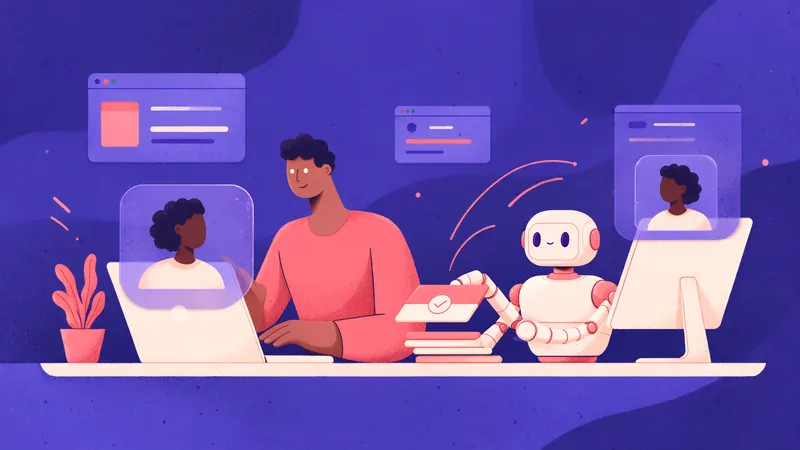
A reception desk at a mid-sized clinic or hotel, seen from slightly above and to the side.
Key points

Key points

  1. 1Collect a week of real inbound messages before designing anything, pulling chat logs, phone transcripts and walk-in notes.
  2. 2Sample a few hundred items across days of the week and hours of the day so quiet periods do not distort the picture.
  3. 3Label each message with one short intent, starting from categories that appear naturally, then test each intent for answerability.
  4. 4Classify every intent as fixed-document answerable, needs a system lookup, or needs a person, and build only the first group first.

Start from real logs, not from a guess

The most common failure in front desk automation is building the agent around an imagined caller. A dental practice assumes everyone calls to book a cleaning, then discovers half the calls are people asking whether the practice takes their insurance. A service business assumes calls are emergencies, then finds a large share are existing customers checking on a job. Vendors that sell answering services describe this gap in their own evaluations: reviewers stress that demos follow scripts real customers never use, and that callers say things like "my tooth is killing me, I think it's the one I had filled, can someone look at it tomorrow morning" rather than a tidy scheduling request the Smash.vc review. The same review lists "what do your inbound calls actually look like" as the first question a buyer should answer, split into what you handle most often and what you almost never handle Smash.vc.

That advice applies whether you buy a service or build your own. So the discovery step is the same: read what actually arrived.

Pull from every channel you have:

  • Chat widget transcripts and website contact-form submissions.
  • SMS threads and messaging app inboxes.
  • Phone system call recordings and transcripts, including voicemail.
  • Email to the general inbox, filtered to first contacts.
  • Walk-in notes, paper logs and front desk sticky notes.

Tools that already transcribe calls make this easier. RingCentral, for example, keeps an AI Receptionist call history you can open from the admin portal, which gives you the raw material without a separate recording project RingCentral support. If you run something simpler, a shared spreadsheet with a timestamp and a pasted message is enough.

Set a collection window of one full week minimum, two if your business has a weekly rhythm. A week is short enough that someone will actually do the work and long enough to catch the Monday spike and the Friday lull.

Sampling across days and hours

You do not need to read every message. You need a sample that is not skewed. The trap is pulling "the last 200 messages," which in a quiet business can mean four days of one shift, or in a busy one can mean a single Tuesday morning.

A defensible method:

  1. Count total inbound items per day for the window. Note the daily totals.
  2. Decide your sample size, typically 200 to 400 items for a single location.
  3. Allocate the sample across days in proportion to each day's volume, so a Saturday with three times the traffic gets three times the sample.
  4. Within each day, spread picks across open hours, not just the busy middle. Deliberately include at least a few items from opening hour and closing hour.
  5. Include after-hours and weekend items even if they are a small share, because those are exactly the calls an agent most often covers.

If your goal is comparing channels, sample each channel separately rather than pooling everything. A chat log and a phone transcript produce very different intent mixes, and pooling them hides that.

A quick way to make the draw reproducible is to sort each day's items by timestamp and take every nth item:

import csv
from datetime import datetime

# rows: timestamp, channel, text
rows = list(csv.DictReader(open("inbound.csv")))
for r in rows:
    r["ts"] = datetime.fromisoformat(r["timestamp"])

by_day = {}
for r in rows:
    by_day.setdefault(r["ts"].date(), []).append(r)

sample = []
for day, items in sorted(by_day.items()):
    items.sort(key=lambda r: r["ts"])
    n = max(1, round(len(items) * 0.10))   # ~10 percent of the day
    step = max(1, len(items) // n)
    sample.extend(items[::step][:n])

sample.sort(key=lambda r: r["ts"])

Ten percent of a few thousand messages gives you a few hundred items with the day and hour spread intact. Keep a column for channel and one for whether the message came in or out of hours; you will use both later.

A taxonomy that survives messy data

The labels you write in the first pass should be short and concrete. The standard advice from contact-center practice is to start with intent tracking, then route and resolve on top of it, using entrypoint, keywords and self-selected options as signals of what a message is about Heymarket. You are doing the human version of that first pass.

A starter set that covers most front desks:

LabelWhat it sounds likeTypical channel
Hours and location"Are you open Saturday?" "Where do I park?"Chat, phone
Booking and changes"Can I move my Thursday appointment?"Phone, SMS
Pricing and availability"How much for a callout?" "Do you have any slots next week?"Phone, chat
Status of existing order or job"Is my part in yet?" "When is the technician coming?"Phone, SMS
Complaints and escalations"This is the second time nobody showed up"Phone, email
Insurance, eligibility or paperwork"Do you take my plan?" "What do I need to bring?"Phone, chat
Everything elseAnything you cannot place in one passAny

Two rules keep the taxonomy usable. First, one label per message, even when the message contains two asks. If someone writes "can I move my appointment and do you take my insurance," label it booking and changes and note the second ask in a free-text column. Multi-label tagging feels more precise but makes counting and prioritization harder, and your first goal is counting.

Second, resist splitting too early. If you end up with 40 labels after 300 messages, merge the ones with fewer than five examples into the nearest parent. A label that appears twice is not a category yet. Microsoft's intent tooling takes the same posture at scale: it discovers intents from past interactions to build an intent library rather than asking an administrator to guess them up front Microsoft Learn. You are running the same idea by hand, with a much smaller dataset.

Keep the label text boring. "Booking and changes" survives handoff between people. "Customer wants to reschedule their thing" does not.

Counting what actually arrives

Once every sampled item has a label, count by label, then break the counts down twice: by channel and by hour band. This is the step that turns anecdote into a build decision.

A worked example. Suppose the sample is 320 items from a single clinic location over one week:

LabelCountShareChatPhone
Hours and location6119%4417
Booking and changes8627%1967
Pricing and availability3812%2216
Status of existing appointment5417%1242
Insurance and paperwork3511%2015
Complaints and escalations186%315
Everything else289%919

Read that table before you build anything. Hours and location is the single biggest chat category and a small slice of phone. Booking and changes dominates the phone. Complaints are small in volume but concentrated on the phone and expensive per item. A generic "AI receptionist" pitch would have you build one thing; the numbers say the chat and phone channels need different priorities.

The channel split is not cosmetic. Practitioners who run these deployments point out that channels are not equal, and a sensible setup lets a business permit an action on the phone but not by email, then redirect an email request to the phone rather than actioning it Elva's handoff guide. Your count table is where that per-channel permission list comes from.

Testing each intent for answerability

Now take each label and ask one question: what would a competent staff member need to answer this? Answers fall into three buckets, and the bucket decides the build.

BucketTestExampleBuild approach
Fixed-document answerableThe answer is identical for every caller and lives in a document you already haveHours, location, parking, what to bringPut the source in front of the agent and let it answer
Needs a system lookupThe answer depends on a record: a booking, an order, an account"Is my appointment still Thursday?"Connect the agent to the booking, CRM or order system
Needs a personJudgment, exception, money, emotion, riskRefund dispute, complaint, medical adviceEscalate with context captured

The third bucket has sharp edges worth writing down. Guidance on receptionist limitations puts sensitive decisions (advice, exceptions, refunds, contractual commitments), uncertain identity, and intense anger, threat or emergency into the "require a person" column VocalOps. It also recommends a recovery sequence for everything else: recognize uncertainty, clarify once, reduce scope from action to message capture, then transfer with context and record the event VocalOps. That sequence is a design pattern you can apply per bucket.

Run the test per intent, not per message. For each label, write down:

  • The exact source that answers it (a page, a policy, a field in the booking system).
  • Whether that source exists today and who owns it.
  • The failure mode if the agent gets it wrong.
  • The escalation path.

Operators who have shipped these systems say the practical line is judgment: if the front desk would need a script, the agent may handle it; if it would need judgment, the agent should escalate TeleCloud. The same source sets out three call types to define before go-live: what the agent fully handles, what it starts and then transfers, and what goes straight to a person TeleCloud. Your label table maps onto those three rows almost directly.

The traps that wreck a discovery sample

The seasonal sample. One week in your busiest month is not your year. If you sample during a promotion, a holiday week or a weather event, the mix will not hold. Fix it by noting anything unusual about the collection week in the write-up, and if you can, take a second sample two to three months later and compare. If the two mixes diverge by more than a few points on your top three labels, treat the taxonomy as provisional.

The channel difference. Chat and phone produce different intents, as the worked example shows. Two things follow. Sample each channel separately, and never assume a fix for chat transfers to phone. Voice has extra failure modes that text does not: misheard names, accents, background noise, overlapping speech and mid-call language changes VocalOps. A chat label of "booking and changes" may be straightforward to automate while the same label on voice needs a confirmation step and a fallback.

The "everything else" creep. An "everything else" bucket above roughly 15 percent means your labels are too narrow or you stopped reading carefully. Go back through that bucket and write what each item is in a sentence. Patterns will appear by the tenth item.

The silent majority. The messages you never received because nobody answered are invisible in your logs. Missed calls and abandoned chats are a category of their own, and vendors in this space base whole products on the idea that a missed call is a lost customer, citing the steep drop in contact rates after a five-minute follow-up window Boxplot. Pull the missed-call list from the phone system as a separate sample and count it. It often changes the priority order.

The transcript artifact. Machine transcripts contain errors, and reading them as if they were exact quotes will make callers sound stranger than they are. Spot-check a handful of transcripts against the audio before you label, and do not build a label around a single garbled phrase.

The one-person sample. A single reviewer's labels drift over 300 items. If two people can share the reading, have both label the first 30 items and compare. Disagreements are free definitions you have not written down yet.

From the map to the first build

The output of this week is a one-page artifact: the label table with counts, the channel split, and the three-bucket classification with a named source for each fixed-document intent. That page is what you scope from.

Build in the order the numbers justify. Start with the fixed-document bucket, because those intents need no integration and no permissions, and they tend to be the biggest share of chat. Add system lookups next, one system at a time, because each one is a permission and a failure mode. Leave the "needs a person" bucket to escalate, with the agent capturing enough context that the person does not start over. Warm handoff guidance in this space is consistent on that point: the staff member should receive the reason, the captured details and the cause of the handoff, so the caller continues a conversation instead of restarting one Elva.

If you want a low-risk way to test the agent's judgment before it writes to a booking system, borrow the review-mode idea: the agent proposes the action and a person confirms it until the team has watched enough real calls to trust it Elva. Your labeled sample is the test set for that period.

When the map is done and you are ready to build the agent itself, the routing between models and the surrounding integration work is the next decision. Quanta Inference puts text, audio and embedding models behind one OpenAI-compatible API key, which is useful when your agent needs speech-to-text for the phone channel and a text model for chat. For help turning the one-page artifact into a scoped build, a free discovery call is the natural next step: https://quantaintelligence.ai/calendar.

FAQ

FAQ

How many messages do I need to read before I can trust the label counts?

A few hundred, typically 200 to 400 for a single location. The limit is not statistical power but consistency: most intents stabilize well before that, and the remaining uncertainty is about whether your week was typical. Read enough to see the top labels repeat, then spend the remaining effort on a second sample months later rather than a bigger first one.

Should I label with AI or by hand?

By hand for the first pass, at least on a subset. You are building the definitions, and the exceptions are the valuable part. Once you have a stable label set, an intent classifier trained or prompted on your labeled items can scale the taxonomy to the full log. Intent discovery tooling in commercial platforms follows the same logic, learning intents from past interactions to seed an intent library Microsoft Learn.

What if a message contains two questions?

Assign one primary label and note the second ask in a free-text field. Counting is the goal of the first pass, and single-label counts are far easier to act on. If the same second ask keeps appearing alongside one primary label, that is a sign the two belong together in the build, or that you need a combined flow.

How do I handle the messages nobody answered?

Pull missed calls and abandoned chats as a separate sample and count them separately. They are not in your normal log because no conversation exists, but they are real demand, and the five-minute follow-up window problem is well documented by vendors in this space Boxplot. Counting them often reorders your priorities.

When should an intent go straight to a person rather than the agent?

When the answer needs judgment rather than a lookup: refunds, exceptions, contractual commitments, professional advice, complaints, threats or anything that looks like an emergency, plus any action on an account you cannot authenticate VocalOps. Write the list down before launch so escalation is a rule, not a mood.

Sources

Sources

  1. Best AI Answering Services for Small Business (We Tested) - Smash.vc
  2. ​Accessing the AI Receptionist call history - RingCentral Support
  3. Using Customer Intent to Route and Resolve Requests
  4. Manage Customer Intent Agent
  5. AI Receptionist Human Handoff, Controls & Review Mode | Elva
  6. AI Receptionist Limitations and Safe Handoff | VocalOps
  7. Can AI agents handle your front-desk calls alone? - TeleCloud
  8. How AI Bots Can Turn Your Missed Calls into Booked Appointments
About the author

About the author

Antonio Evans
Antonio Evans

Antonio Evans is the founder of Quanta Intelligence and a fractional CTO who builds HIPAA-ready AI systems for health and life-science companies. Before that he was technical co-founder of FriendsEAT for twenty years, CEO of Socialdraft, and a data engineer at IBM. Antonio lives with his dog Santino in Lisbon, Portugal.

All articles