AI coding

Reading a Lockfile Diff: Which Entries a Reviewer Must Open

Antonio Evans11 min read

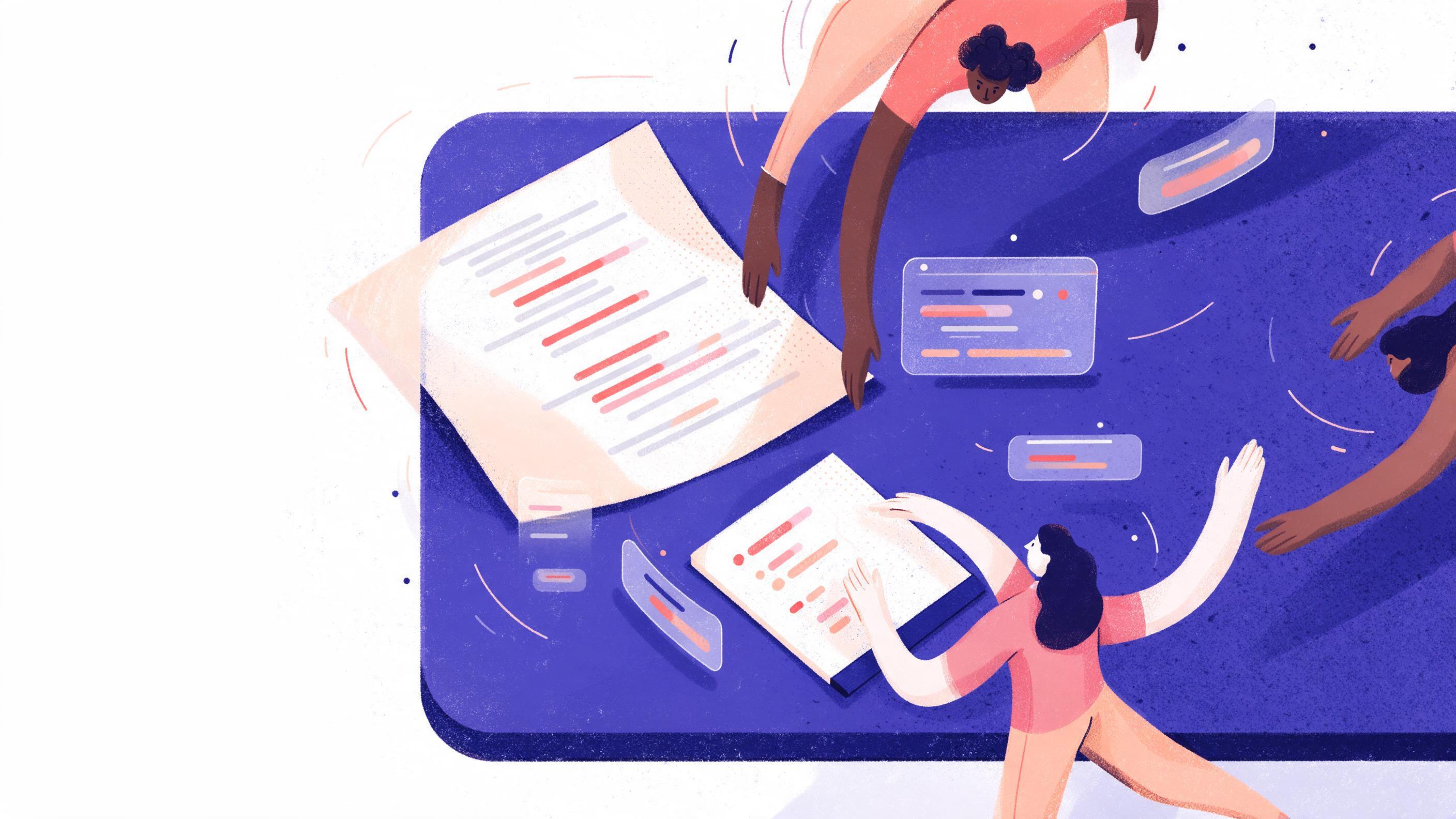
A desk from above with a printed lockfile diff, most lines greyed out and a few marked in three colours, beside a short numbered reading list on a notepad.
Key points

Key points

  1. 1Open entries in this order: newest resolved version first, then any entry with a preinstall, install or postinstall script, then entries that exist only for a platform you ship to.
  2. 2Read each flagged entry as a whole object (name, version, integrity hash, resolved URL, dependency list), never as an isolated changed line.
  3. 3A lockfile diff shows what the resolver did, not what the package does, so a grown hierarchy of nested versions is a conflict signal worth checking even when no top level range changed.
  4. 4Set a fixed reading budget before you open the file and stop when it is spent; everything not opened gets a scan and a note, not silent approval.

Stop reading lines, start reading entries

The first mistake in a lockfile review is treating the diff as a list of edits. A lockfile is a serialized dependency tree, and npm documents it as a description of the exact tree that was generated so that subsequent installs produce identical results from the npm lockfile reference. A changed line is almost always a fragment of an entry: one field of one package object. If you approve a version bump without looking at the rest of that object, you have approved a version string and nothing else.

The unit of review is therefore the entry. For each package in the diff, reconstruct the full object: the resolved version, the integrity hash, the resolved URL, the dependencies list, the optional and dev flags, the os and cpu constraints, and any hasInstallScript marker the resolver wrote. That is the thing you are actually deciding to install.

This matters more than it used to, because agents now write lockfile changes too. A documented campaign engineered npm packages specifically to be selected by AI coding agents, planting plausible documentation and metadata so the agent would add the dependency, and in one recorded case a malicious transitive package entered a crypto trading project through a commit co-authored by an AI model per the Cloud Security Alliance research note. An entry that looked fine to the tool that added it still needs a human to read the whole object.

Rule one: open entries whose resolved version is new or at the edge

The strongest signal in a lockfile diff is a resolved version that either did not exist in the previous lockfile or sits at the very edge of its allowed range. The edge case is the interesting one. A caret range like ^6.16.0 permits anything up to the next major, so when a resolver picks 6.26.0 for a package nobody edited, the lockfile has silently moved to the top of the tree.

A published example of exactly this failure: babel-core pinned at 6.5.2 depended on babel-register with a caret range, which in turn depended back on babel-core with another caret range, and the resolver picked 6.26.0 for the second copy, breaking the build as described on Stack Overflow. Nothing in package.json changed. The lockfile changed, and the build broke.

The rule to apply:

For each changed entry:
1. Was this exact version present in the old lockfile under the same path?
   No  -> tier 1, open it.
2. Is the new version the highest match for any range that points at it?
   Yes -> tier 1, open it.
3. Otherwise -> defer.

Step two is the one reviewers skip. To check it, look up the range declared by the parent entry (the package whose dependencies object names this package) and compare the resolved version against the maximum that range allows. If the resolved version equals the ceiling, the resolver had no headroom left and a future install may jump further or, worse, the current install is already past what the parent tested against.

A worked example with numbers. Suppose the old lockfile had chalk resolved at 4.1.1 under a range of ^4.0.0, and the diff shows 4.1.2. The nearest ceiling for a ^4.0.0 range is below 5.0.0, so 4.1.2 is not at the edge. Park it. Now suppose the diff shows chalk at 5.3.0 under a range of ^4.0.0. That cannot happen through normal resolution, which means the parent range changed too, or an override is in play. That entry goes to the top of the queue regardless of the version number.

Overrides deserve their own flag. npm's override mechanism forces a single version across the tree no matter what the parents request, and the guide on overrides shows the three shapes: a plain string override that replaces a package everywhere, a nested object override scoped to one parent, and a . key that replaces the package itself see the npm overrides guide. If your diff contains an entry whose version matches an override in package.json, open it and open the override beside it. Overrides are the place where a reviewer's mental model and the resolver's output diverge most often.

Rule two: open every entry that carries an install script

The second signal is not about versions at all. Some entries cause code to execute at install time, and that code runs with your build's privileges on every machine that runs npm ci. In a comparison between npm install and npm ci, a proposal for a middle ground spells out the difference plainly: npm ci deletes node_modules every run, which means every package will run its preinstall and postinstall scripts on every clean install from the npm RFC discussion.

That is the reason install scripts belong near the top of your queue. A version bump in a pure JavaScript package is a data change you can reason about by reading. A version bump in a package whose tarball ships an install script is a code change that will execute.

Sort the diff twice to find them. Once by the presence of the script marker the resolver writes into the entry (hasInstallScript in the version 2 and 3 lockfile formats), and once by grepping the new entries for "install", "preinstall" and "postinstall" in the scripts block, which appears in the entry for packages that declare them. If a package that previously had no script now has one, treat it as a new dependency even if the version barely moved.

Checklist for a script-bearing entry:

CheckWhat you are looking forAction if it fails
Script added or changedNew preinstall, install or postinstall in the entryOpen the tarball and read the script
Resolved URL hostA registry you recognize, not a raw IP or a paste siteBlock pending explanation
Integrity hashPresent and matching the same algorithm used elsewhere in the fileBlock, the entry was rewritten
Publisher changeNew maintainer or new scope on a package name that already existedOpen it and ask the author
Optional flagAn optional package that still declares a scriptOpen it, optional flags change the code path

The hardened diff you started from already removed entries with no script and no version movement, so this table is the fast path through the ones that remain. The pattern is not theoretical: the campaign described above evolved from obfuscated JavaScript stealers to precompiled native payloads specifically to defeat static analysis per the same research note, which means a script that looks clean on inspection is not proof of anything. It is proof that you looked.

If a script is genuinely needed, the safer pattern is to run it outside the package lifecycle. A tool like pre-commit manages hook installation and execution without requiring root access and without inventing new shebang scripts per project from the pre-commit documentation. The equivalent for dependency risk is to run the check at commit time: an SCA pre-commit hook can block commits that introduce new dependency risks at medium severity or higher and skip the analysis entirely when only application code changed as shown in the SonarQube blueprint. That does not remove the need to read install-script entries, but it removes the easy cases from your budget.

Rule three: open platform-only entries for platforms you ship to

The third signal is the easiest to misread. Modern toolchains distribute native binaries as separate packages keyed by operating system and CPU architecture, so a lockfile can contain entries like @rollup/rollup-linux-x64-gnu or an esbuild binary for darwin. A file generated on one architecture and consumed on another routinely produces entries for packages that will never be installed on the machine reading them, and the reverse: installs failing because the entry for the consuming platform is missing.

The failure is documented from both directions. One report shows a lockfile generated on arm64 macOS failing in a Linux CI environment with a message telling the user to delete both package-lock.json and node_modules, because the platform specific optional dependency was absent from the npm cli issue. Another asks directly whether npm can ignore platform-specific packages in lockfiles, and the accepted answer is not to ignore them but to declare the platforms explicitly with the os and cpu fields so a lock entry exists for each combination and npm ci installs only the relevant ones per the Stack Overflow answer.

That gives you a clean decision rule. A platform-specific entry earns review time only if its os and cpu fields intersect the matrix you actually deploy to. Your Docker base images, your CI runners and your supported desktop targets define that matrix, and nothing else does. An entry for win32 on a Linux-only service is noise; the same entry appearing in a service that now ships a Windows build is a tier-one read.

Two things to check when you open one of these entries:

  • The optional flag. Platform packages are frequently optional dependencies, and an optional package that silently stops resolving is a runtime crash waiting for the first non-matching host.
  • The entry's siblings. These packages usually come in a family, one entry per platform. A diff that adds linux-x64 without adding the matching arm64 entry is worth a question, because it usually means the lockfile was regenerated on one machine only.

This ties back to a broader point about tree structure. Dependency depth is a proxy for attack surface and for conflict probability, and teams that audit their trees routinely find that the deepest graphs come from poor dependency hygiene rather than genuine complexity, with a dry run install being the cheapest way to see the count before it lands as covered in this dependency analysis. A lockfile diff is the same measurement at a different resolution: new entries are new surface, and platform families multiply that surface without adding features.

Turn the budget into a reading order

Now assemble the three signals into a single queue. The point is not to rank findings by severity, which requires judgment you cannot apply before reading, but to rank by the probability that reading changes your decision. Script-bearing entries change your decision most often, because they can execute. Edge-of-range versions change it next, because they are the ones most likely to break at the next install. Platform entries change it only within your deployment matrix.

Here is the order, with the budget split that works for a diff of roughly a hundred changed entries:

RankTierWhy it earns the slotSuggested share of budget
1Any entry with a preinstall, install or postinstall scriptExecutes on every clean install40 percent
2Any entry whose resolved version is at the ceiling of its range or new to the treeDecides the next install as well as this one35 percent
3Any entry whose os or cpu matches a platform you shipAffects production behavior on a known host20 percent
4Everything elseReadable, but rarely decision-changing5 percent, scan only

Two adjustments override the order. First, an entry that scores in two tiers moves up, not down: an install script on a platform-specific binary package is the worst combination in a lockfile diff, because the script runs and the binary is opaque. Second, an entry whose resolved URL changed while its version did not is an immediate read regardless of tier. That pattern means the tarball for an existing version was republished or replaced, and the integrity hash is the only thing standing between you and someone else's code.

Anchoring the budget matters because diffs grow. One write-up of npm ls counted 1,337 modules installed for a single project, with 532 of them deduped against another path from the npm ls walkthrough. At that scale a review that opens every entry is not a review, it is a skim with extra steps. A fixed budget of, say, twenty entries per diff forces the ordering discipline and makes the remainder an explicit decision rather than an omission.

Worked example: a diff of 84 changed entries

A small service lockfile diff arrives with 84 changed entries after the hardening pass. Your budget is twenty reads. Here is how the queue falls out.

Twelve entries carry install scripts. Three of those are version bumps of packages that already had scripts, so their scripts are not new; nine are packages whose scripts appear for the first time, including one transitive package four levels deep that no one edited directly. All twelve go into the queue, with the nine new ones first. That is twelve of your twenty reads.

Of the remaining 72, seven sit at the ceiling of a caret range. One of those is the transitive case from earlier: a package nobody edited jumped two minors because its parent's range had headroom. Two of the seven also declare a range back to a package that is pinned elsewhere in the tree, which is the circular pattern that breaks builds. Seven reads, and you are at nineteen.

One entry remains. It is a platform package for a Linux architecture your CI uses but your Docker images do not. You note it, confirm the matching entry for your actual architecture is also present, and spend the twentieth read on the resolved-URL-changed entry you spotted while scanning, which is not in any tier but overrides them all.

The other 64 entries get a scan: name, version delta and host, no deeper. If the scan shows a resolved URL on an unfamiliar host, it gets promoted and something else gets dropped. That is the whole discipline. The queue is not a severity ranking, it is a defense of attention.

Where the budget stops being enough

Two cases justify breaking the budget, and both are worth naming because they come up more than reviewers expect.

The first is when the lockfile and the manifest disagree. A lockfile that does not match package.json will either be silently rewritten on the next install or cause npm ci to fail, and the failure message from npm ci is unambiguous about needing an existing lockfile at version 1 or higher, which is a common symptom of a repository that never committed one as seen in this CI failure thread. If you see unrelated churn in a diff, the likely cause is that whoever ran install used a different npm version or skipped ci, so the file was regenerated rather than reused. A regenerated lockfile defeats most of the triage above, because every entry looks new. Reject it and ask for a diff produced from the committed file.

The second is a lockfile generated by a tool other than the one that consumes it. A pre-commit hook running a lock generator can produce a different result than running the same command by hand, and maintainers have pointed out that the output depends on the state of the existing lockfile, not just the manifest per the Poetry issue thread. When two tools can each write the file, pin one of them as the writer and make the other check only. Otherwise your triage queue is answering a question the tooling has not settled.

For teams where several people or several agents touch dependency changes, the reading order is also a good handoff artifact. A short record of which tier each opened entry fell into, and what the reviewer concluded, makes the next diff faster to read because the same packages come back with a known history. If you want a coding agent to draft that record from the diff and the manifest, that is a job for a skill rather than a prompt, and the skill library behind it is at Quanta Skills.

FAQ

FAQ

How many entries should I open in a typical lockfile diff?

Set the budget before you open the file, and set it low. Twenty reads is a workable ceiling for a diff of roughly a hundred changed entries, because the tiers above are designed so that most decision-changing entries surface in the first pass. If the queue exceeds twenty, that is a signal about the change, not about your reading speed: either the diff was not hardened, or the change is genuinely large enough to want a second reviewer.

What do I do with an entry that has a new install script but an unchanged version?

Open it and read the tarball. A version that did not move but now declares a script means either the entry was rewritten or the publisher republished the same version, and both are reasons to look at the integrity hash and the resolved URL before anything else. If the hash changed against a fixed version, treat it as a new dependency and block until someone explains the republication.

Is a big lockfile diff always worse than a small one?

No, and confusing size with risk wastes the budget. A diff with two hundred entries that are all dedupe moves and dev-only test packages is safer than a diff with three entries where one carries a postinstall script and one points at a new host. The tiers exist so that size does not set the order.

Why not just trust the tool that generated the lockfile?

Because the generator answers a narrower question than you do. The resolver decides which version satisfies a range; it does not decide whether the package belongs in your tree, whether its script is safe to run on your build machines, or whether the platform entry matches your deployment matrix. The lockfile documents what was decided, which is exactly the material a reviewer needs, but the decision was not the resolver's to make.

What should I do with an entry whose resolved URL changed but whose version did not?

Promote it above every tier and read it first. Same version plus a different URL means the artifact behind that version is not the one you reviewed before, and the integrity hash is the only field that can tell you whether the bytes changed. If the hash changed too, block the change and ask the author where the artifact came from.

Sources

Sources

  1. package-lock.json
  2. Nation-State npm Malware Targets AI Coding Agents
  3. NPM lockfiles do not handle transitive dependencies ...
  4. A Guide to NPM Overrides: Take Control of Your ...
  5. RRFC npm install --from-lockfile · Issue #415 · npm/rfcs
  6. pre-commit
  7. SCA Pre-commit Hook with SonarQube CLI
  8. BUG Platform-specific optional dependencies not being ...
  9. Can NPM ignore platform-specific packages in lockfiles (eg ...
  10. npm Dependency Trees: Most Nested Packages 2026
  11. Using npm's ls command for Fun and Insight
  12. npm ci can only install packages with an existing ...
  13. pre-commit hook generate different lockfile than running ` ...
About the author

About the author

Antonio Evans
Antonio Evans
Antonio Evans is the founder of Quanta Intelligence and a fractional CTO who builds HIPAA-ready AI systems for health and life-science companies. Before that he was technical co-founder of FriendsEAT for twenty years, CEO of Socialdraft, and a data engineer at IBM. Antonio lives with his dog Santino in Lisbon, Portugal.

All articles