Founders

When to Use AI to Draft Public Updates (and When Not To)

Antonio Evans8 min read

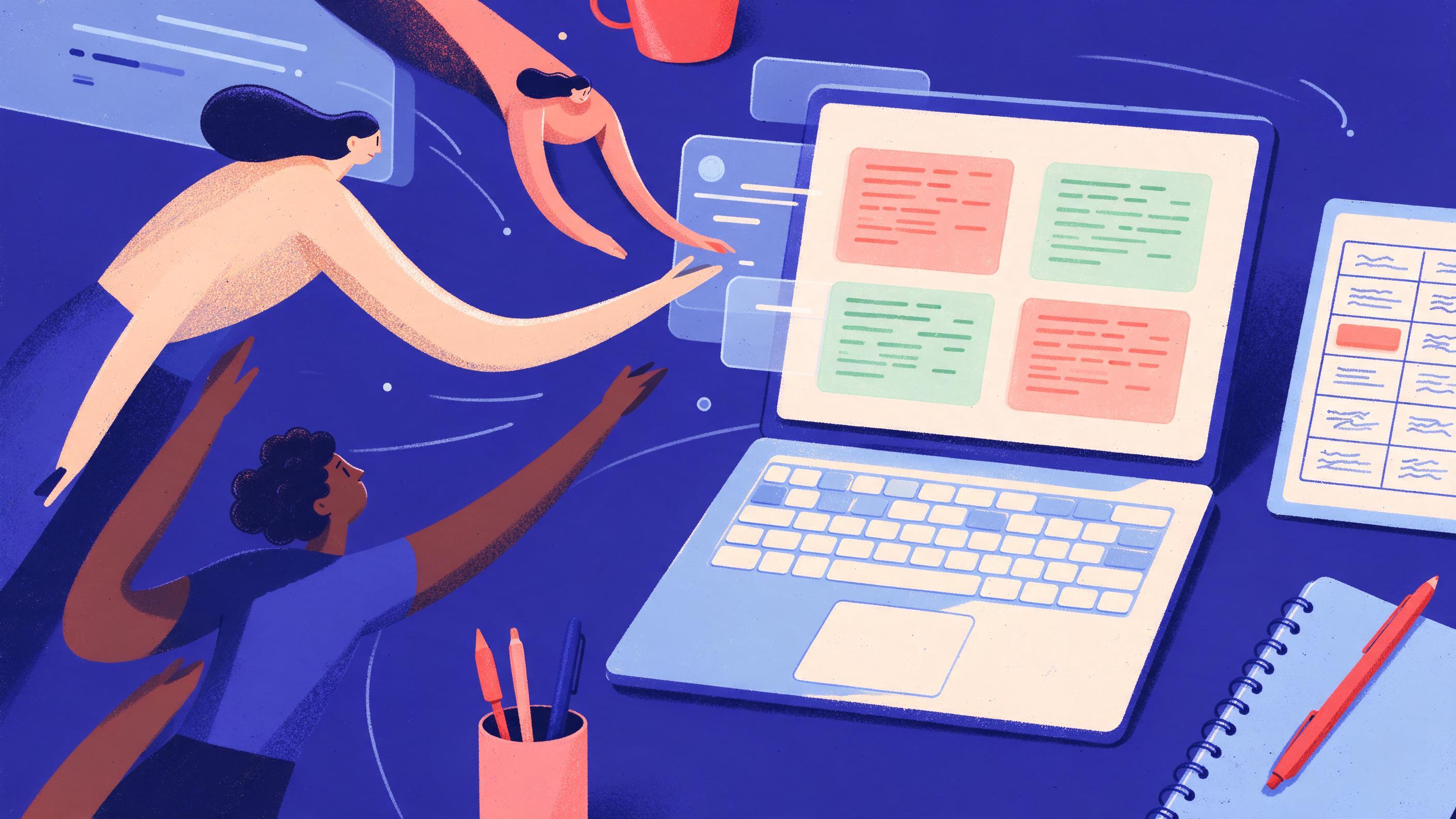
A desk viewed from above: a laptop screen showing a draft with two paragraphs highlighted in green (model-drafted) and two in orange (human-written), a printed one-page routing table beside it with rows for 'apology'.
Key points

Key points

  1. 1Use AI to draft public updates when the facts are already approved for release and the job is assembly, not judgment.
  2. 2A model can assemble sentences, but a human must own claims: apologies, legal statements, pricing, roadmap commitments and anything naming a customer, partner or individual.
  3. 3Review fluently written AI text for hallucinated facts and leaked context, not for grammar.
  4. 4Run a mechanical context-leak search on every draft before it leaves the building, because models surface internal names and figures that look plausible.

The routing rule: claims versus sentences

The question "should AI write this?" is too coarse. Split public writing into two jobs and the answer becomes obvious. Job one is assembling sentences: turning bullet points into prose, matching house style, tightening a paragraph, converting a changelog into a readable note. Job two is owning claims: asserting what is true, what the company promises, who did what, and what the number is.

A model is good at job one and cannot be trusted with job two. Technical writers make this distinction explicitly: AI drafts are typically free of grammar errors but full of factual errors, and the hardest mistakes to catch are "written with total confidence but fundamentally wrong," such as hallucinated API endpoints, made-up version numbers and non-factual parameters document360's review checklist. PR practitioners reach the same conclusion from the other direction: AI is useful for drafting and variation, but its output "should always be reviewed and supplemented," and it is "no replacement for a professional copywriter" PRSA's guide to AI in public relations.

So the routing rule is: a model can write the sentences, a named human signs the claims. If you cannot name the person who will verify every factual assertion in a passage, that passage is not ready for AI drafting.

This matters more than it used to because the volume and speed of public posting has gone up. Teams that build in public post frequently by design, and the practice depends on real-time sharing with openness and vulnerability Build In Public 101. Frequency is exactly the condition under which drafting shortcuts get used without review.

The decision table: what a model drafts and what a human writes

Use this table as the routing artifact. Print it, pin it, put it in the prompt template.

Passage typeDrafted by model?Human roleWhy
Status note ("the deploy finished, tracking looks normal")YesVerify facts, approveRoutine, checkable, low consequence
Changelog entry from merged PRsYes, first passVerify every item shipped and every dateModel tends to invent version numbers and flags
Summary of already-published facts (a report, a public filing)YesConfirm nothing new is introducedSource is public, risk is in paraphrase
Social post variants from an approved paragraphYesPick one, edit voiceVariation is assembly, choice is judgment
Apology or incident statementNo, human writesHuman owns wording and timingEvery clause is a claim about fault
Legal, regulatory or compliance statementNoLegal writes and signsMisstatement is a legal exposure
Pricing, discount or contract termsNoHuman writes, second human checksNumbers are commitments
Roadmap, dates, launch commitmentsNoHuman writes, owner approvesDates become promises
Anything naming a customer, partner or individualNo, unless consent is documentedHuman verifies consent and spellingNames are personal data and relationship risk

The pattern is not "AI for short text, human for long text." It is "AI for text whose every fact already exists in an approved document, human for text whose facts are being decided by the act of writing."

The middle of the table deserves a note. Summarizing already-public facts sounds safe, but a model can quietly sharpen a hedge ("we expect" becomes "we will") or import a figure from a different document. The check is mechanical: diff the draft against the source and confirm every number and modal verb matches.

Worked example: a product update, paragraph by paragraph

Suppose you are shipping a change to a data export feature. Six paragraphs hit the blog and the in-app banner. Here is how they route.

Paragraph 1, the headline and one-line summary. Model drafts from a human-written bullet: "Exports now include the archived records." Human confirms the word "archived" means what the reader thinks it means. Low risk.

Paragraph 2, what changed. Model drafts from the merged pull requests and the internal spec. Human verifies each item actually shipped and that no unshipped item crept in. The review checklist warns specifically about stale flags and incorrect versions document360.

Paragraph 3, why we changed it. Model drafts from the support-ticket summary, after the support lead has removed customer names. Human confirms no individual or account is identifiable. This is where leaked context most often enters, because the underlying source is internal.

Paragraph 4, the customer quote. Human writes. A model will happily fabricate or "polish" a quote, and the quote belongs to a named person whose consent you need on record. If you must use a model to tighten a real quote, the quoted person approves the final wording.

Paragraph 5, migration steps and dates. Human writes, with a second reviewer. Dates and instructions become commitments, and a fluent wrong step generates support load immediately.

Paragraph 6, the closing "what's next." Human writes. This is roadmap, and roadmap language is a promise. A model trained on marketing copy will reach for confident forward-looking phrasing you did not authorize.

A working rule of thumb: a model may draft at most half the paragraphs, and never the first sentence a lawyer or an angry customer would read. In this example, four paragraphs of six are model-drafted, two are not, and the human editor reads all six against sources.

The context-leak check: why "internal" drafts leak

The most underrated failure mode is not hallucination. It is true internal information appearing in public text. Two mechanisms cause it. First, people paste internal documents into a model to get a summary, and the model echoes the internal specifics back. Employees regularly paste internal data into AI tools for convenience, and a report cited by security awareness trainers found 8.5% of workplace AI prompts contained sensitive information, with 46% of those involving customer data such as billing details and login credentials SoSafe on unsafe prompting. Second, the draft inherits internal vocabulary (code names, team names, unreleased figures) because it was generated from internal sources.

Privacy regulators frame the exposure plainly: the prompt itself can contain personal information, and once data is sent to an AI tool the organization loses the audit trail and cannot reliably delete or retract it the NSW IPC guide. Trade-secret law adds a second layer: information keeps protected status only if it is not generally known and is treated as secret, and disclosure without restriction destroys that status Potomac Law on trade secrets, with the same principle set out internationally WIPO's trade secret FAQ. A public post is the least restrictive disclosure possible.

Shadow AI habits are widespread enough that you cannot assume the prompt itself was clean. One survey cited in the same training material found 77% of employees admitted pasting company information into AI prompts, and 82% had done so from personal accounts SoSafe. The publishing process must therefore assume the draft may contain material that was never cleared.

Running the leak check: searches and reading steps

Do this on the final draft, before scheduling. It takes about ten minutes.

Step 1: Search for proper nouns. Extract every capitalized multi-word phrase from the draft and check each against your approved public list (customers with signed consent, partners, public product names). Anything not on the list gets removed or replaced with a category ("a logistics customer").

Step 2: Search for numbers. Pull every digit from the draft, including spelled-out numbers. For each, confirm a public source. This catches revenue figures, user counts, latency measurements and internal targets. The documentation review checklist puts version numbers and non-factual parameters at the top of the failure list document360.

Step 3: Search the internal corpus for the draft's distinctive phrases. Take two or three unusual phrases from the draft and search your internal wiki, specs and email. If the phrase appears in an internal-only document, the draft is paraphrasing something that was never cleared.

Step 4: Read the draft cold, out loud, as a stranger. The registrar-style reading catches the things search misses: a code name that looks like a product name, a date that implies a launch, a "we" that implies a partner relationship. The review checklist warns that reviewers must avoid approving fluent prose without verification document360.

Step 5: Two-person sign-off on the claim list. One person writes the list of factual claims in the draft, the other confirms each against a public source. If the list and the draft diverge, the draft changes.

A prompt helps here. Give the model a whitelist and require it to flag anything outside it:

You will draft a public status update from the attached bullet points.
Rules:
1. Use only facts present in the bullets. Do not add numbers, dates, names or version identifiers.
2. Do not name any customer, partner, person, internal team, code name or internal system.
3. If a bullet is ambiguous, quote it back to me instead of resolving it.
4. Output the draft, then a list titled CLAIMS containing every factual assertion in order.

The CLAIMS list is the artifact the human reviewer signs. It turns an editorial judgment into a checklist.

What this looks like in practice, and where the tooling fits

The routing rule changes the shape of the workflow, not just the prompt. Three habits make it stick.

Keep a public-facts library. One document of approved figures, approved customer references and approved product names, versioned and owned. Every draft cites from it. This is the "single source of truth" the documentation review guidance puts first, before the draft is even read document360.

Separate accuracy review from style review. Combining them in one pass is how accuracy slips through document360. Run the leak check first, then edit for voice.

Log the routing decision. For each published update, note which passages were model-drafted and who signed the claims. When something goes wrong, you can answer the only question that matters: who approved that sentence?

Building in public raises the stakes on all of this because the audience is watching the process, and trust is the asset being built. The same transparency that attracts investors and talent also exposes you when a post contains something it should not: the old safety thresholds for sharing have collapsed as tooling makes public details easier to exploit, which is why founders now filter every disclosure on whether it is interesting to follow or easy to clone The Bootstrapped Founder. The routing rule is that filter applied to writing.

For teams that want the drafting step handled without managing a separate vendor relationship for each model, Quanta Inference puts text, image, video, audio and embedding models behind one OpenAI-compatible API key, prepaid and priced in US dollars (https://quantaintelligence.ai/inference). If the harder problem is designing the review process itself, a free 30-minute discovery call to map your publishing workflow and review gates is the natural next step (https://quantaintelligence.ai/calendar).

If you would rather have the whole pipeline built for you, from the public-facts library to the leak-check automation, you can describe the site, app, document or plan you need and a specialist picks it up with you (https://quantaintelligence.ai/).

FAQ

FAQ

Can I use AI to write an apology?

No, not the apology itself. Write it by hand, because every clause is a claim about fault, timing and remedy, and a model will produce fluent language that commits you to things you did not decide. You can use a model afterward to check tone and length, but the wording and the facts stay with a named human.

What counts as "already public" for the purpose of drafting?

A fact is already public if it appears in a document you would publish without changes: a shipped changelog, a public filing, a published report, a live pricing page. A fact is not public because it appeared in an internal deck or a draft announcement. When in doubt, treat it as internal and route the passage to a human.

How do I stop the model from inventing numbers?

Constrain the prompt to the supplied bullets, forbid new numbers and dates, and require the model to output a CLAIMS list alongside the draft. Then verify every item on that list against a public source. Models produce fluent, confident and wrong specifics, so the list is what you review, not the prose.

Is a leak check really necessary if I wrote the prompt carefully?

Yes, because the draft may be built from sources that were never cleared, and because employees often paste internal material into AI tools outside official channels. Searching proper nouns and numbers, and checking distinctive phrases against the internal corpus, catches what a careful prompt cannot.

Who should sign off on a public post that used AI drafting?

The person who owns the claim, not the person who owns the sentence. For a product note, that is the product owner; for a customer reference, the account owner who holds consent; for anything commercial or legal, the relevant counsel. One second reviewer confirms each claim against a public source before scheduling.

Sources

Sources

  1. How to Review AI-Generated Documentation: Complete ...
  2. How to Use AI in Public Relations: Tools, Prompts, and ...
  3. Building In Public 101 - by KP
  4. AI Prompting Mistakes that Risk Company Data
  5. Privacy risks associated with the use of generative AI tools
  6. Trade Secrets - What your Business Needs to Know
  7. Frequently Asked Questions on Trade Secrets
  8. The Increasing Risk of Building in Public - The Bootstrapped Founder
About the author

About the author

Antonio Evans
Antonio Evans
Antonio Evans is the founder of Quanta Intelligence and a fractional CTO who builds HIPAA-ready AI systems for health and life-science companies. Before that he was technical co-founder of FriendsEAT for twenty years, CEO of Socialdraft, and a data engineer at IBM. Antonio lives with his dog Santino in Lisbon, Portugal.

All articles