Security

A Click-Response Checklist for a Phishing Report

Antonio Evans11 min read

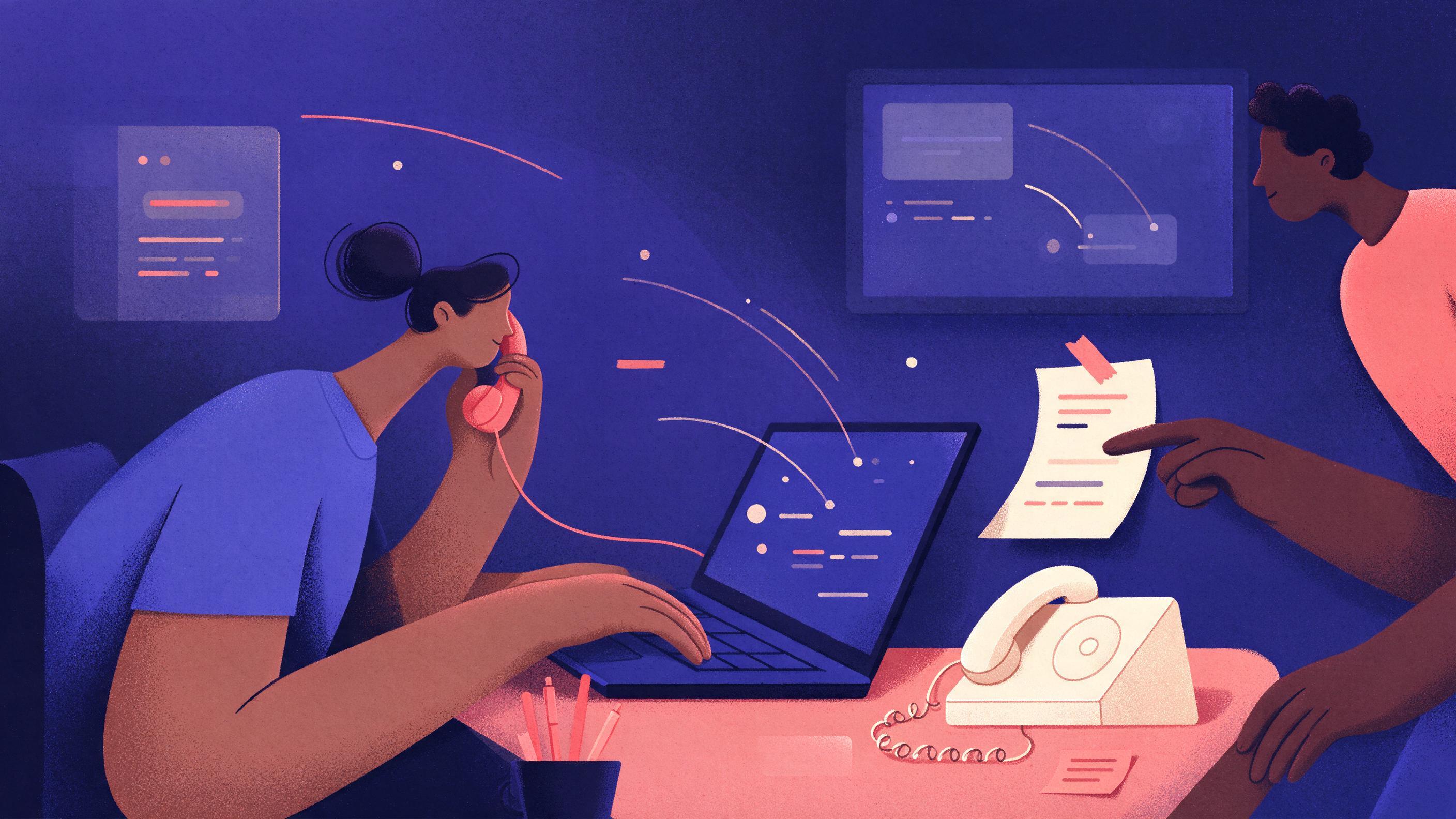
A printed one-page runbook taped beside a desk phone, with an analyst on the line, a laptop showing mail logs, and a sticky note with the first three calls to make.
Key points

Key points

  1. 1Treat every click as a possible credential compromise until logs prove otherwise, and escalate in the first minutes rather than scheduling a training conversation.
  2. 2Isolate the machine from the network but leave it powered on, because powering off destroys volatile evidence you will want if the click led to malware.
  3. 3Reset the clicked user's password only after you have pulled the mail and identity logs, so you keep the evidence that shows whether the password was already used elsewhere.
  4. 4Write down what you found and when you found it; a timeline you can hand to an insurer or a lawyer is worth more than a clean-looking story.

Minute zero to ten: who to call

The first decision is not technical. It is who owns the next hour. A small team should have three named roles on a printed card: the person who receives the report, the person who can change passwords and revoke sessions, and the person who can talk to the affected employee without turning the conversation into a disciplinary hearing. If your team is three people, those three roles are the same three people, and that is fine. What matters is that the card names them.

Call the person who clicked before you call anyone else. You need four facts and nothing more at this stage: the exact time they clicked, whether they typed anything into the page, whether they downloaded or opened a file, and whether they entered a one-time code or approved a push notification. That last question changes the severity more than any other. Credential phishing is designed to harvest a password and, in many modern campaigns, the second factor as well. The joint CISA, NSA, FBI and MS-ISAC guidance describes exactly this pattern: a fake login portal that captures the username, password and the six-digit code, which the attacker then replays against the real portal in the CISA phishing guidance. If your user typed a code into a page, you are not dealing with a maybe.

Do not ask the employee to "just change your password" on their own. That is the single most common mistake, because it destroys the session tokens and password history you would use to prove whether the account was already accessed from somewhere else. Hold that instruction until step four.

A short script keeps the call calm and short. You are not investigating, you are capturing. Say what you know, say what happens next, and tell the person they did the right thing by reporting it. The UK National Cyber Security Centre makes the point that blaming users for clicking does not work and that a response plan should assume some phishing will always get through in the NCSC phishing guidance. The behavioral research backs this up: a randomized trial across more than 19,500 employees at UC San Diego Health found no significant relationship between recent annual security training and the likelihood of failing a phishing simulation, and only a very small benefit from embedded training per the UC San Diego study announcement and the published paper. Training is not your incident response. The phone call is.

Minute ten to twenty: isolate without destroying evidence

You want the machine off the network and still running. Pull the network cable or disable the Wi-Fi adapter. Do not shut it down, do not run a "clean up" tool, and do not let the user keep working on it. Memory holds running processes, injected code, and the contents of the browser session, and all of that disappears on a clean shutdown. If you have endpoint detection and response tooling, use its network isolation feature instead of physically pulling the cable, because it keeps the agent reporting while cutting connectivity.

Two cautions on that approach. First, some isolation features block the management channel too, so confirm the endpoint can still check in before you rely on it. Second, if the user has already closed the browser, do not reopen the phishing page to "see what it was". You will fetch the page again from your own network, and you will lose the cached copy.

If the click happened on a personal phone or a home machine, you cannot isolate it, and you should not try. Instead, treat every account that device can reach as exposed and move directly to the credential steps below.

Here is the sequence, in order, with the reason attached to each step:

OrderActionWhy it comes here
1Capture the original message as a file (.eml or .msg)Evidence of sender, headers and links, and the artifact you will search for across all mailboxes
2Isolate the machine, leave it powered onStops outbound connections while preserving memory and session state
3Pull the message from all inboxesStops a second click before you have time to chase the first
4Pull mail, proxy and identity logsRead-only, and the clock is running on log retention
5Reset password, revoke sessionsOnly now, because this destroys the tokens you were reading
6Reset everything stored in the browserSaved passwords are the second, quieter compromise

Step one deserves emphasis. Getting the full message with its headers lets you see what the authentication checks said. SPF checks the envelope sender, DKIM checks a cryptographic signature, and DMARC is what ties those results back to the visible From address and tells the receiving server what to do with a failure as described by Cloudflare. A DMARC failure on an inbound message that still reached the inbox is a filtering gap worth fixing, and it tells you the lure was likely spoofed rather than sent from a compromised partner account. The header block shows the results; most clients expose it under "Show original" or "Show details" per Cloudflare's walkthrough.

Minute twenty to forty: what to check in the logs

Pull these four queries and save the output. You are not reading everything, you are looking for the answer to one question: did anyone use this account after the click?

Mail logs. Search for the sender address and the subject line across all mailboxes. This gives you the full recipient list, which is your real scope. Search for outbound messages from the clicked user's mailbox after the click time, because a compromised mailbox is often used to send the next round of phishing to colleagues and contacts. Internal phishing delivered from a real internal account is much harder for a filter to catch, and the FBI's description of business email compromise notes that attackers often use a compromised mailbox to move to other accounts and to time requests convincingly on the FBI business email compromise page.

Sign-in and identity logs. Look for successful authentications for the clicked account from a location your organization has never used, from a new device, or from a hosting provider rather than a residential or mobile network. Check the time against the click time, because the gap is diagnostic: a login two minutes after the click from an unfamiliar address is a replay of harvested credentials, while a login the following morning from a nearby city is more likely the user on a different network. Also look for new MFA device registrations, new mail rules, new forwarding addresses, and new OAuth application consents. A password change does not remove any of those, which is why you should check them before you declare the account clean.

Proxy and DNS logs. Search for the domain in the link. You want to know which devices on your network resolved or requested it, not just the one that reported. A phishing campaign that hits a shared inbox usually hits several people, and the first reporter is rarely the only clicker. A blocking DNS service turns this step into a quick check and prevents later clicks at the same time; protective DNS is one of the technical mitigations the joint guidance recommends in the CISA phishing guidance. The NSA's release summary lists phishing-resistant MFA, link and attachment filtering, protective DNS, application allow-lists and remote browser isolation among the controls it recommends in the NSA release. One sentence on this for a small team: if you can only afford one, buy the DNS filtering, because it catches the second click for you.

Endpoint telemetry. Search for the browser process on the affected host, then for child processes spawned from it. You are looking for an installer, a script interpreter, or a background process that started within a few minutes of the click. If your endpoint tool records file writes, search for files written to the downloads folder or to temporary directories in that window. If the click only opened a credential-harvesting page, you will usually find nothing here, and that null result is itself worth writing down.

A worked example makes the timing concrete. Suppose the user reports at 09:40 that they clicked at 09:12. Identity logs show a successful sign-in for the account at 09:14 from an address in a country your company has no presence in, followed by a new inbox rule that moves messages containing the word "invoice" into an archive folder. That is a confirmed compromise. The mailbox was read for roughly 26 minutes before anyone noticed, outbound mail from the account must be treated as attacker-authored, and the scope is every external party who emailed that user in that window. Contrast that with a report at 09:40 for a click at 09:35, no unfamiliar sign-in, no new rules, and the proxy log showing the link was blocked before the page rendered. That is a near miss, and it closes with a password reset and a filter update.

Minute forty to sixty: which passwords to reset, in what order

The instinct is to reset everything. Resist it for a moment and reset in this order, because the order reflects who else is exposed by each account.

  1. The clicked account, plus session revocation. Reset the password and revoke all active sessions and refresh tokens, not just the password. A stolen session token outlives a password change, and a reset that leaves sessions alive leaves the attacker inside. This is the step people skip.
  2. The email account that receives password resets for everything else. If the clicked account is not the primary email account, the primary one is now the most valuable target in the organization, because it can reset everything else.
  3. Every password saved in that browser profile. Export the saved password list from the browser before you wipe it, and reset each account. A harvested credential plus a saved password list is a complete inventory of the user's working life. Prioritize anything holding money or customer data: banking, payroll, payment processors, the CRM, the cloud admin console.
  4. Any account where the same password was reused. This is a search problem, not a judgment problem. Ask the user, check your password manager's audit report if you have one, and reset every match. The IC3 prevention guidance is blunt about this: use a unique password for every service and change them periodically per the IC3 business email compromise advisory.
  5. Shared and service accounts the user can reach. These are the ones nobody owns, which makes them the ones an attacker keeps.

Then fix the second factor. If the account uses push notifications without number matching, an attacker with a valid password can send approval prompts until someone taps accept out of fatigue. The joint guidance names push MFA without number matching, SMS and voice codes, and MFA that lacks FIDO or certificate-based authentication as the weak implementations that credential phishing still defeats per the CISA phishing guidance. For the clicked user, move to a phishing-resistant method now, while the incident has everyone's attention. That one change is the highest-value hour of work in the whole response.

How to tell whether credentials or data were taken

You will not get certainty in the first hour, and you should not pretend to. You get a confidence level and the evidence behind it. Use three tiers and say which one you are in.

Confirmed compromise. There is a successful sign-in you cannot attribute to the user, or a new mail rule, forwarding address, MFA device, or OAuth consent you did not create. In this tier, assume the mailbox was read. Pull the mailbox audit log for the window, list every message accessed or exported, and identify the external parties in that thread. Move to containment on money: tell finance and accounts payable that any payment instruction from that person needs verbal confirmation on a number you already have, not a number in an email. The FBI's own advice on payment requests is to verify in person or by calling the person directly and never to rely on email alone per the FBI business email compromise guidance, and the IC3 stresses that time is critical if a fraudulent transfer has gone out per the IC3 advisory.

Probable credential exposure, no evidence of use. The user typed credentials into the page but logs show no unfamiliar sign-in, and you have checked mailbox rules, forwarding, MFA registrations and consents. Treat as contained after the password reset and session revocation, and keep the account under review for a defined period. Attackers frequently wait, and a clean first hour does not mean a clean week.

Click only. The link was blocked, or the page loaded and nothing was entered, and there is no download and no unusual process. Document it, remove the message, and close.

One more check belongs in every tier: did the page ask for anything other than credentials? A fake invoice portal that collects a card number, or a fake document-sharing page that asks for a one-time code to "view the file", is a different loss with different reporting duties. The FBI's spoofing and phishing guidance describes exactly this shape of attack, where a link leads to a lookalike site asking for passwords, card numbers or banking PINs per the FBI spoofing and phishing page. If financial details were entered, your obligations run to your bank and possibly to regulators, not just to your IT team.

The printed checklist

This is the part to tape inside a cabinet door. It assumes one reporter, one responder, and no dedicated security team.

  • 0:00 Reporter calls the named contact. Capture time of click, what was typed, what was downloaded, whether a code or push was approved.
  • 0:05 Save the message as a file. Note the sender, subject, link domain and the SPF, DKIM and DMARC results from the headers.
  • 0:10 Isolate the machine from the network. Leave it powered on. Tell the user to stop using it and not to touch the browser.
  • 0:15 Search all mailboxes for the sender and subject. Purge the message. Note every recipient.
  • 0:25 Query identity logs for the account: unfamiliar locations, new devices, new MFA registrations, new mail rules, forwarding, OAuth consents.
  • 0:30 Query proxy and DNS logs for the link domain across all devices.
  • 0:40 Reset the clicked account's password and revoke all sessions. Then reset saved browser passwords and any reused passwords, money and customer data first.
  • 0:50 Decide the tier: confirmed compromise, probable exposure, or click only. Write one paragraph and name the evidence.
  • 0:55 If the tier is confirmed compromise, notify finance and any external party in the exposed threads. Change the account's MFA method to a phishing-resistant one.
  • 1:00 Open a timeline document with timestamps for every action. Keep the saved message file and the log exports with it.

Two additions make the checklist survive contact with a real week. First, test the queries before you need them: run the identity log search for a colleague's account on a normal day so you know what a clean result looks like. Second, check your log retention. If identity logs roll off in a window shorter than your slowest possible report, the investigation has a hard ceiling, and that is a finding for your next planning conversation.

If the response raises questions your team cannot answer alone, a structured review of your identity and mail configuration is the natural next step, and a free discovery call is a reasonable way to scope it: Quanta Consulting.

FAQ

FAQ

Should we shut the machine down to be safe?

No. Shutting down clears memory and any running malicious process you would want to examine. Disconnect it from the network instead, by pulling the cable or disabling the adapter, or use your endpoint tool's isolation feature. You keep the evidence and you stop the outbound traffic, which is the outcome you actually wanted.

The user changed their own password before reporting. Is that a problem?

It is a small problem, not a disaster. You lose the ability to see whether the stolen password was used against other systems, and you may have invalidated logs tied to the old credential. You still have identity logs, mail rules, MFA registrations and proxy records, so run those checks and explicitly note the gap in your timeline. Then revoke sessions too, because a password change alone does not end an active session.

Do we need to reset every employee's password if the message went to everyone?

No. Reset the accounts where someone clicked or entered something, plus any account sharing a password with them. A message delivered to everyone is a delivery problem, not a credential problem, and a company-wide reset creates a wave of helpdesk calls that will bury the real incident. Purge the message everywhere and check the proxy logs for who actually visited the link.

What if the click happened on a personal phone?

You cannot isolate the device, so shift the whole response to the accounts. Reset the password, revoke sessions, check for new MFA registrations and mail rules, and reset anything saved in that phone's browser or password manager. Treat the device as untrusted for work email until it has been wiped or replaced, and note that you cannot inspect it.

How long should the account stay under review after a clean first hour?

Set a defined period and write it down, because "keep an eye on it" means nobody does. A reasonable default is heightened monitoring for fourteen days: alerts on new sign-in locations, new mail rules and new MFA devices. Attackers who harvest credentials often wait for a quiet moment, so a clean first hour is a starting point, not a conclusion.

Sources

Sources

  1. PDF Phishing Guidance: Stopping the Attack Cycle at Phase One - CISA
  2. Phishing attacks: defending your organisation
  3. Cybersecurity Training Programs Don't Prevent Employees from ...
  4. PDF Understanding the Efficacy of Phishing Training in Practice
  5. What are DMARC, DKIM, and SPF? - Cloudflare
  6. Business Email Compromise, FBI
  7. How to Protect Against Evolving Phishing Attacks
  8. Business Email Compromise: The $55 Billion Scam
  9. Spoofing and Phishing, FBI
About the author

About the author

Antonio Evans
Antonio Evans
Antonio Evans is the founder of Quanta Intelligence and a fractional CTO who builds HIPAA-ready AI systems for health and life-science companies. Before that he was technical co-founder of FriendsEAT for twenty years, CEO of Socialdraft, and a data engineer at IBM. Antonio lives with his dog Santino in Lisbon, Portugal.

All articles