Business

How to Build an Allowlist of AI Tools Staff Will Actually Use

Antonio Evans11 min read

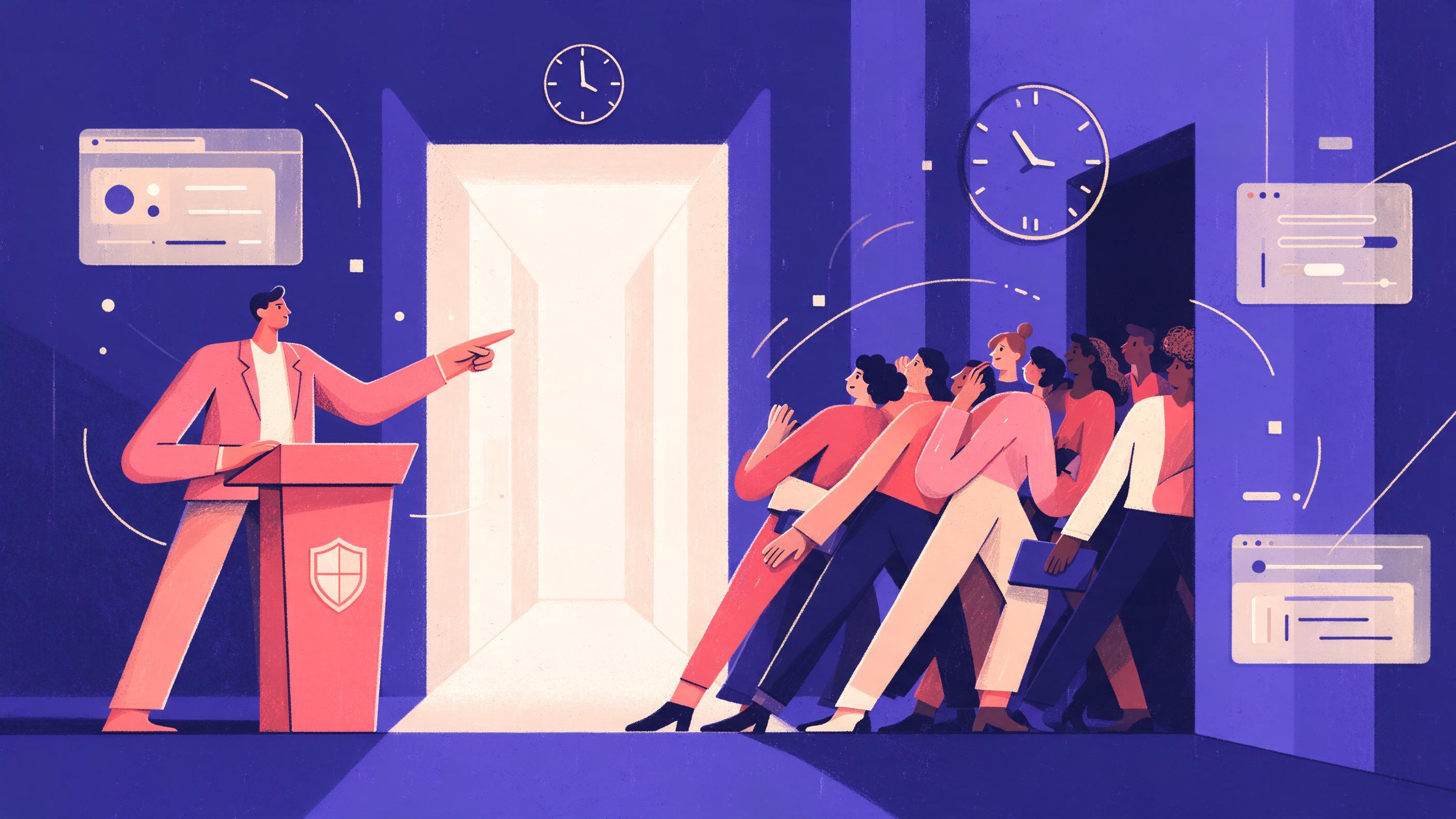
A policy manager at a podium points toward a wide, brightly lit hallway marked Approved Tools while a crowd squeezes through a dim side door marked Unapproved, and a clock above shows a 10-day review cycle.
Key points

Key points

  1. 1A short allowlist built on three tests (data sensitivity, integration and exit cost, vendor transparency) gets followed more than a long one built on features.
  2. 2Review requests within a fixed window such as 10 business days, because slow approval is the main reason employees route around policy.
  3. 3When a popular tool fails review, name a close approved alternative, grant a time-boxed exception with logging, and state the reason in one paragraph.
  4. 4Keep the list current with a quarterly review of the top 20 tools by usage and a named owner for each entry.

Why the shadow path wins, and what beating it requires

Employees do not go around an allowlist because they enjoy risk. They go around it because the approved path is slower, thinner or harder to find than the tab they already have open. Microsoft's Work Trend Index found that 78% of employees who use AI bring their own tools to work without formal approval, and Salesforce research cited alongside it found that more than half of generative AI users rely on unsanctioned tools because they believe those tools help them work faster (Centric Consulting). Treat that as a design brief, not a discipline problem.

The cost of losing this contest is measurable. IBM's Cost of a Data Breach Report found that one in five organizations has suffered a breach involving unsanctioned shadow AI, adding roughly $670,000 to the average breach cost, and that 97% of organizations with an AI-related breach lacked proper AI access controls (Unió Digital summary of the reports). The Cloud Security Alliance reports that 89% of enterprise AI usage is invisible to security teams and that unauthorized AI tools remain active for a median of 403 days before detection (CSA research note).

That last number is the one to internalize. A tool that goes undetected for more than a year has already become infrastructure. Your allowlist is not competing against a ban that was never enforced; it is competing against a working, undocumented stack that employees built for themselves.

The good news is that supply beats enforcement. The same CSA research note reports that when organizations provision sanctioned AI tools, unauthorized use drops by 89%. Making the approved path easier than the shadow path is not a slogan. It is the highest-leverage control you have.

The decision rule

For every request, ask one question first: does the employee have an approved tool that does 80% of this job today? If yes, the request is a feature gap, not a new tool, and the answer is an upgrade path or a feature request on an existing contract. If no, run the three tests in the next section.

The three approval tests that separate must-have from nice-to-have

Most approval committees drown because they evaluate every request against a dozen criteria and apply them inconsistently. Three tests, applied in order, produce fast and defensible decisions.

Test 1: Data sensitivity

Start with what data the tool will actually touch, not what category the vendor occupies. A security review should cover public chatbots, embedded AI assistants in productivity suites, developer coding assistants, AI browser extensions, internal models and autonomous agents connected to enterprise systems (Zscaler). The risk follows the access, not the label: a chatbot wired into customer records may be riskier than a public tool used for generic brainstorming.

Pair this test with your data classification policy. One institution's generative AI policy permits public and, in some cases, internal data, prohibits restricted or confidential data, and forbids uploading copyrighted material without permission (ICOM policy). That kind of line is enforceable because it maps to labels employees already know.

Decision rule: a tool that cannot be configured to exclude restricted and confidential data fails automatically, regardless of features. Do not negotiate on this test.

Test 2: Integration and exit cost

The second test is what it costs to leave. Ask for the export format, the retention window, and whether the tool stores prompts in a form you can delete on request. A tool that becomes a system of record for prompts and outputs is much harder to remove than one that produces a document you save elsewhere.

This test also covers integration. A tool that duplicates an approved capability creates a second data store, a second audit trail and a second set of permissions to reconcile. Repeated shadow IT patterns are best read as signals about friction in the existing stack: slow systems, missing capabilities, clumsy integrations and rigid approval processes (Centric Consulting).

Test 3: Vendor transparency

The third test is whether the vendor will put its claims in writing. "We never train on your data" costs nothing to write, which is why serious reviews have moved on to the parts a buyer can check: named subprocessors, retention quoted in days, and a closed anonymized-data carve-out (Parseur). DataGrail's Privacy and AI Trends Report, which analyzed 2,400 popular business software providers, found that 63.6% of vendors advertising AI capabilities do not disclose a third-party AI subprocessor anywhere in their legal documentation (Parseur).

Enterprise agreements help, but they do not erase every question. OpenAI states that it does not train on business data by default, that customers own inputs and outputs, and that automated content classifiers may process submitted data (OpenAI enterprise privacy). It also notes that business data is only subject to human review on a service-by-service basis, which is exactly the kind of sentence a reviewer should pin down per product rather than assume across a vendor's whole catalog.

GitHub's disclosure around Copilot is a useful template for the opposite posture: it states that Business and Enterprise agreements prohibit using Copilot interaction data for model training, while individual users can opt out through account settings (GitHub community FAQ). A vendor that draws the account-tier line explicitly is easier to approve than one that asks you to trust a marketing page.

TestPassFailWhat to ask for
Data sensitivityCan exclude restricted and confidential dataCannot be configured, or no DPAData classification matrix, configuration guide
Integration and exit costDocumented export, stated retention, deletable on requestNo export path, unclear retentionExport sample, retention in days
Vendor transparencyNames subprocessors, quotes retention, signs DPANo subprocessor disclosure, vague termsDPA, subprocessor list, trust center report

Any tool that passes all three moves to the allowlist. Any tool that fails one goes to the exception process described below. Do not run a fourth test during the meeting; run it in the quarterly review.

Run reviews fast enough to beat the shadow path

An approval process that takes six weeks has already lost. The employee needed the tool on Tuesday. Publish a fixed service window, put it in the policy, and staff to it.

A workable process looks like this:

  1. Intake form, five fields. Use case, data classes involved, estimated users, closest approved alternative, and business owner. Anything longer gets abandoned.
  2. Triage within two business days. Route to the closest approved alternative if one clears the 80% bar. Close the ticket with a link. This resolves most requests without a full review.
  3. Full review within 10 business days. Security checks tests 1 and 3, the business owner confirms test 2. The clock starts at intake and pauses only on a written request for information.
  4. Publish the decision. An approve, an approve with conditions, or a deny with the reason in one paragraph. Every decision is visible to everyone who asks the same question later.
  5. Log it. A public register of approved, conditional and denied tools, with the owner named against each entry.

The fixed window matters more than the depth of the review. Stakeholders accept a 10-day answer. They do not accept silence, because silence gets translated into a personal account and a browser tab.

What to record for every entry

Keep a one-row record per tool. It doubles as your maintenance backlog.

Tool:            <name and vendor>
Owner:           <named person, not a team>
Approved for:    <data classes>
Conditions:      <settings, accounts, DLP coverage>
Review due:      <date, default 12 months>
Usage tier:      <top 20 / standard / watch>
Exit path:       <export format, owner>
Decision note:   <one paragraph>

The owner field is where most programs quietly fail. A tool owned by "IT" has no owner. A tool owned by a named individual who gets a calendar reminder once a quarter does.

Make the approved path easier than the shadow path

Approval is necessary but insufficient. The approved tool must be at least as convenient as the personal account the employee would otherwise use. Three practical moves do most of the work.

Provision before you restrict. The CSA finding that unauthorized use drops by 89% when sanctioned tools are provided is the strongest argument for spending on licenses before spending on blocking (CSA). A blocked tool with no replacement is a policy that gets ignored on a personal phone.

Centralize to one API key where builders are involved. Teams that build internal tools often chain two or three vendors because each had one capability the others lacked. Every hop is another subprocessor and another DPA, since GDPR Article 28 requires a data processing agreement with each party that processes personal data (dev.to analysis). Consolidating text, image, audio and embedding models behind one contract reduces the review surface for every new internal tool. Quanta Inference (https://quantaintelligence.ai/inference) is one option here: an OpenAI-compatible endpoint with prepaid, US-dollar pricing, which means one vendor review covers a whole class of requests instead of one per model.

Instrument the prompt, not just the file. Legacy data loss prevention was built around files, email and network transfers. It inspects content against fixed patterns for a discrete transfer, and it frequently misses a paste into a browser field because no file is created and the session may be encrypted end to end (Acronis). AI-specific DLP inspects the prompt and upload before it reaches the model and applies one of three actions: allow, alert and log, or block (Acronis). Start in detect-only mode, learn what people actually paste, then tighten.

The scale of the gap explains why this matters. LayerX's Enterprise AI and SaaS Data Security Report found that 77% of employees paste data into GenAI prompts, that 82% of those pastes come from unmanaged personal accounts, and that the share of corporate data going into AI tools that is sensitive rose from 10.7% to 34.8% over two years (Unió Digital). A file-based control sees almost none of that.

This is the moment that decides whether your allowlist has credibility. A flat no to a tool half the company already uses teaches employees that the process is decorative. A capitulation teaches them the process is optional. Do three things instead.

1. Name a close approved alternative in the same message. Not a category ("use an enterprise chatbot"), a specific tool with a specific link and a one-line description of what it does well. If the alternative handles the actual use case, most employees switch without argument.

2. Grant a time-boxed exception with logging. Where the business case is real and the data class permits it, approve a narrow exception: named users, a defined data ceiling, a logging requirement, and an expiry date no more than one quarter out. The exception goes in the register with the same fields as a full approval. Time-boxing converts a permanent risk decision into a scheduled one.

3. State the reason in one paragraph. No legal boilerplate. "We denied this because the vendor does not name its AI subprocessor and cannot commit to a retention limit in the DPA; the closest approved tool is X, and we will revisit if the vendor signs our DPA." That paragraph does more for compliance than a training module, because it shows employees the reasoning they can apply themselves.

The exception register

FieldExample valueWhy it is required
Tool and account tierTeam plan, not consumerTier determines the training default
Named users4 named analystsPrevents quiet expansion
Data ceilingInternal only, no customer PIIThe enforceable limit
LoggingPrompt-level DLP in alert modeGives you evidence for the next review
ExpiryEnd of quarterForces a scheduled decision
OwnerNamed individualNobody chases a team

A time-boxed exception is not a soft denial. It is a controlled experiment with an exit. Review it at expiry, not before, unless an incident forces the question early.

Keep the list from going stale

Allowlists rot in a predictable way: vendor terms change, usage drifts, and the reviewer who understood an entry leaves. A quarterly cadence on a small set prevents most of it.

Review the top 20 tools by usage every quarter. Not all 200. Rank by prompt volume or seat count, whichever your telemetry gives you, and check four things per tool: has the retention or training default changed, has the subprocessor list changed, is the named owner still employed, and is usage inside the conditions of approval.

Re-validate every entry annually at minimum. One template recommends at least annual revalidation of approved tools to account for changes in vendor terms or security posture (Read AI). Quarterly handles the top 20; annually catches the tail.

Watch account-tier drift. The GitHub case is instructive: the same product family had a different training default for Business and Enterprise customers than for individual Free, Pro and Pro+ plans (GitHub community FAQ). If an employee's approved access silently moves from an enterprise workspace to a personal plan, the entry in your register is now wrong even though nothing was requested.

Run a discovery pass, not a survey. Ask your network, browser and endpoint layers which AI domains are being reached. CSA reports that 80% of workers use unapproved AI tools and only 37% of enterprises have any AI governance policy in place (CSA). Survey responses will not surface the tools people use because they believe they will be told to stop.

Check the agent layer. AI agent Skills are often single markdown files sitting on a laptop that execute with the employee's own permissions, reachable through MCP servers, with no installer and no procurement record (Backslash Security). Your allowlist should name approved Skills and MCP servers alongside approved chat tools, or the register describes a world that no longer exists.

A worked quarterly review, with numbers

Assume 200 tools in the register and 1,100 monthly active users. Rank by usage and take the top 20, which cover roughly 85% of sessions. Two of those 20 have a changed subprocessor list, one has a new owner after a departure, and four show usage outside approved conditions (customer PII pasted into a tool approved for internal data only). That is three register edits and four coaching conversations, done in a two-hour meeting. The remaining 180 tools get an annual pass, staggered so about 45 come up each quarter. Total maintenance cost is roughly six hours a quarter, which is far less than the cost of one undetected prompt containing regulated data.

Where a business line needs its own review capacity and does not have a security analyst to spare, handing the recurring work to a specialist is often cheaper than letting the cadence slip. Quanta Experts (https://quantaintelligence.ai/agents) is one route: each expert reads your context, does the work and hands back finished deliverables, which suits the quarterly register sweep and the policy drafting around it.

FAQ

FAQ

What should go on the allowlist besides chatbots?

Cover every place AI touches company data: public chatbots, embedded assistants in productivity suites, coding assistants, browser extensions, internal models and autonomous agents. A common policy gap is focusing on public chatbots while overlooking AI functionality embedded throughout the technology stack (Zscaler). List agent Skills and MCP servers too, since they run with the employee's own permissions.

Is "we don't train on your data" enough to approve a vendor?

No. That sentence has no scope, names no subprocessors, quotes no retention number and carries nobody's signature (Parseur). Ask instead for named subprocessors, retention expressed in days, a signed DPA, and a written answer on human review. Note also that retention for abuse monitoring usually persists even when training is disabled (Secure Privacy).

How do we handle a tool employees already use and love?

Provision an approved alternative first, then communicate the decision with a reason and a link. Blanket bans tend to drive usage underground, while providing secure, sanctioned alternatives with appropriate controls produces better results (Adaptive Security). If the popular tool has a real gap the alternative cannot close, issue a time-boxed exception with named users and logging rather than an open-ended approval.

How fast does an approval actually need to be?

Fast enough that waiting is easier than signing up for a personal account. A fixed 10-business-day window with a two-day triage step works for most organizations, provided the clock starts at intake and pauses only on a written request for information. Publish the window, then measure against it; the first quarter of data usually shows that most requests are resolved at triage by pointing to an existing tool.

Who should own the allowlist?

One named accountable owner for the list itself, and a named owner per entry. Security cannot own AI governance alone, because policies that treat it that way tend to fail at the operational level (Zscaler). Pair that with a small review group drawn from security, legal and the business lines that generate the most requests, and give the group authority to say no without escalating.

Sources

Sources

  1. Why Employees Use Shadow IT: Your Tech Stack Warning ...
  2. ChatGPT Sensitive Data: How Much Is Being Leaked?
  3. Shadow AI Apps: The Enterprise Attack Surface That ...
  4. AI Acceptable Use Policy for Employees: What to Include
  5. Generative AI (GEN-AI) Acceptable Use
  6. No Training on Your Data Is Free to Say - 12 Questions That Test It
  7. Enterprise privacy at OpenAI
  8. FAQ: Privacy Statement update on Copilot data use for model training ...
  9. The AI Training Data Opt-Out Lie: Why Your Prompts Are Being Used ...
  10. What is AI DLP? GenAI data loss prevention - Acronis
  11. AI Acceptable Use Policy: Template + Key Provisions
  12. Vetting AI Agent Skills Before Approval
  13. GPT-5 Training Data Opt-Out: How to Exclude Your Content from AI ...
  14. Understanding Shadow AI Risks: Data Exposure & ...
About the author

About the author

Antonio Evans
Antonio Evans

Antonio Evans is the founder of Quanta Intelligence and a fractional CTO who builds HIPAA-ready AI systems for health and life-science companies. Before that he was technical co-founder of FriendsEAT for twenty years, CEO of Socialdraft, and a data engineer at IBM. Antonio lives with his dog Santino in Lisbon, Portugal.

All articles